
“Oh no! That coaching session was double-booked again.”
“Wait, how can I track that payment when the invoice is still sitting in my drafts?”
As a coach, missed appointments, chasing unpaid invoices, and disorganized systems aren’t just stressful; they threaten your business’s success. Constantly juggling client schedules and billing can harm your income and reputation, and lead to frustrated clients. These are real risks that many coaches face, but you don’t have to.
A survey of 850 professional coaches found that 68% spend over five hours a week juggling separate tools for scheduling, progress tracking, and payment processing. Integrated coaching platforms cut this admin load by up to 35%, freeing you to focus more on client engagement and program development.
Imagine waking up to an organized schedule, automated invoices, and effortless payment processing. Scheduling and billing software eliminates chaos, ensuring smooth operations so you can focus on helping clients.
In this post, we’ll walk you through the best scheduling software with billing and invoicing in 2026, evaluated on features, pricing, and integrations to help you streamline your coaching business.
Key Takeaways
- Use an all-in-one scheduling and billing software to automate session booking, invoicing, and payment collection, reducing admin time by up to 35%.
- Choose platforms that allow clients to self-book, pay online, and access a client portal for a seamless, professional experience.
- Integrated scheduling + invoicing software ensures accurate invoices, faster payments, and real-time tracking of coaching packages, subscriptions, and recurring sessions.
- Look for features like automated reminders, calendar sync, digital intake forms, and progress tracking to minimize missed appointments and administrative errors.
- Evaluate platforms on scalability, security (HIPAA/GDPR compliance), and integrations with CRM, video tools, and accounting software to future-proof your coaching business.
- Top platforms include Simply.Coach, Dubsado, Paperbell, Satori, and CoachAccountable, all offering robust scheduling, billing, and client management capabilities.
- The right tool helps you streamline workflows, improve client satisfaction, and scale your coaching practice while focusing more on client engagement than admin work.
Why Coaches Need Scheduling Software With Built-In Billing and Invoicing
Using an online scheduling software that also manages billing and invoicing is essential for coaches like you who want to streamline operations and improve client experience. A unified scheduling and invoicing software helps automate your entire workflow so bookings, payments, and invoicing stay organized in one place. Below are the core reasons coaches benefit from an integrated scheduling and billing system:
- Reduce time spent on manual admin tasks: Automating session booking, payment collection, and invoice creation eliminates repetitive work and frees up your time for actual coaching.
- Offer a seamless client experience: Clients can conveniently book online, make digital payments, and receive automated invoices and reminders without constant back-and-forth messaging.
- Ensure accurate and consistent invoicing: Integrated billing workflows reduce errors, generate professional invoices instantly, and keep all transactions organized for easy reference.
- Get paid faster with automated payments: Features like saved cards, recurring billing, and online payments help reduce late or missed payments significantly.
- Track packages, subscriptions, and session usage effortlessly: Whether you sell coaching packages, multi-session bundles, or monthly subscriptions, the software automatically tracks remaining sessions and renewals.
- Improve financial visibility and business insights: Built-in revenue reports, outstanding invoice tracking, and client activity analytics help you make data-backed decisions that support business growth.
- Stay compliant and protect client data: Secure, encrypted, and compliant platforms safeguard sensitive client information while streamlining your overall practice management system.
Using a scheduling software that includes billing and invoicing helps coaches operate more efficiently, improve client satisfaction, and scale their coaching business without administrative overwhelm.
Also read: Best Automating Scheduling Tools for HR Teams in 2025: A Guide for Coaches
Key Features Every Online Scheduling and Billing Software Should Include
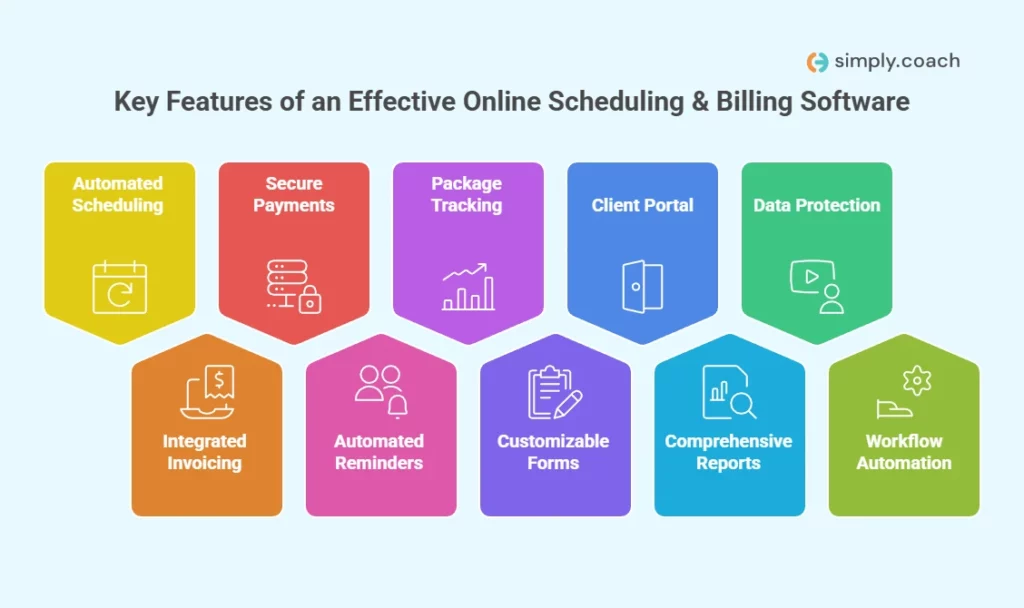
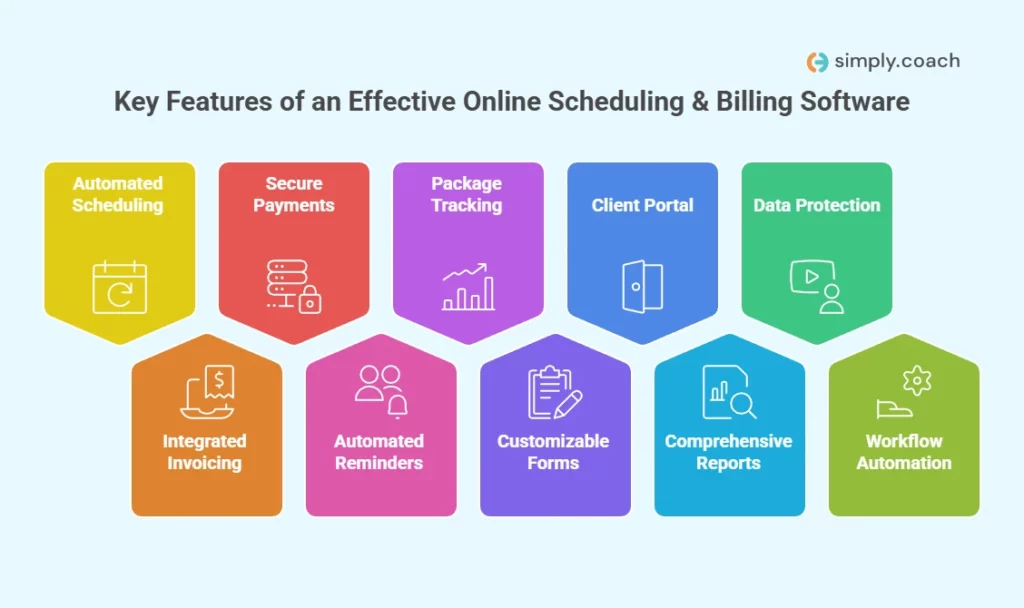
Choosing an online scheduling platform that also manages billing and invoicing can significantly reduce admin time and improve client experience. Below are the essential features to look for if you want a tool that’s efficient, compliant, and scalable:
- Automated scheduling and calendar sync: Real-time booking, rescheduling, and cancellations with automatic updates across Google Calendar, Outlook, and iCal to prevent double bookings.
- Integrated invoicing and simplified billing: Automatic invoice creation linked to sessions, plus one-click billing that keeps all financial data organized in one place.
- Secure online payments and saved payment methods: Support for cards, digital wallets, UPI, and recurring payments, with the option for clients to securely store their payment details.
- Automated reminders and payment notifications: Email and SMS reminders for upcoming sessions, overdue invoices, and upcoming payments to reduce no-shows and manual follow-ups.
- Package, subscription, and session tracking: Automatic tracking of remaining sessions, renewals, and usage for coaching or therapy packages without spreadsheets.
- Customizable intake forms and digital paperwork: Built-in forms for onboarding, assessments, and consent to streamline documentation and reduce administrative load.
- Client self-service portal: A unified portal where clients can book appointments, view invoices, update payment details, and download receipts independently.
- Comprehensive reports and analytics: Revenue summaries, outstanding invoice reports, attendance patterns, and client activity insights for smarter business decisions.
- Compliance, security, and data protection: HIPAA/GDPR-ready systems, encrypted transactions, and secure data storage to protect client information.
- Integrations and workflow automation: Seamless integration with CRM, telehealth tools, accounting software, email platforms, and Zapier to eliminate repetitive tasks.
Choosing software with these capabilities ensures your practice runs smoothly, reduces manual work, and delivers a more professional, streamlined experience for both you and your clients.
Also read: Top 8 Automating Scheduling Tools for L&D Professionals
Top Scheduling and Invoicing Software Compared: Features, Ratings, and Pricing
Choosing the right scheduling and invoicing software can feel overwhelming, especially with so many tools offering overlapping features. To help you make a confident and informed decision, here is a clear comparison of the top 10 platforms, covering key features, best use cases, ratings, and pricing.
| Software | Best For | G2 Rating | Capterra Rating | Starting Price / Month |
| Simply.Coach | Coaches wanting a dedicated all-in-one coaching tool | 4.8 / 5 | 4.7 / 5 | $9 / month |
| Dubsado | Service-business coaches who need full automation | 4.3 / 5 | 4.3 / 5 | $20 / month |
| Paperbell | Coaches who sell packages or subscriptions | 4.7 / 5 | 4.6 / 5 | $57 / month |
| Satori | Program-based coaches with structured packages | 4.5 / 5 | 4.6 / 5 | $33 / month |
| CoachAccountable | Coaches who run structured, accountability-based coaching practices | 4.4 / 5 | 4.5 / 5 | $20 / month |
| Practice Better | Health & wellness, life, and wellness coaches needing compliance + billing | 4.5 / 5 | 4.6 / 5 | $25 / month |
| Trafft | Coaches/consultants who want booking + payments in one tool | 4.4 / 5 | 4.5 / 5 | $19 / month |
| Acuity Scheduling | Coaches managing 1:1 & group sessions who need payment links | 4.7 / 5 | 4.8 / 5 | $16 / month |
| Setmore | Coaches or small teams needing recurring sessions + payments | 4.5 / 5 | 4.6 / 5 | $5 /month |
| vCita | Coaches who also provide services (consulting, coaching) and want an all-in-one business tool | 4.4 / 5 | 4.5 / 5 | $29 / month |
Now that you have a quick overview of how each scheduling and invoicing software compares, let’s look at each platform in detail, including their key features, strengths, limitations, and pricing.
1. Simply.Coach
Simply.Coach is an all-in-one coaching management platform built to help you streamline every part of your coaching workflow, from client onboarding to session delivery, documentation, goal tracking, payments, and long-term engagement.
If you’re a coach who wants to reduce admin time, eliminate multiple tools, and deliver a more structured transformation experience, Simply.Coach gives you everything in one unified system. You get automated scheduling, client portals, coaching journeys, digital worksheets, invoicing, and progress tracking—so you can spend less time managing tasks and more time coaching.
Whether you’re an independent coach or running a coaching business with multiple team members, the platform adapts to your needs and scales as your practice grows.
Key features
- Goal & progress tracking: Track your clients’ goals, milestones, and progress metrics in a clean, centralized dashboard.
- Automated session notes: Use structured templates to create consistent, compliant coaching notes without repetitive manual work.
- Scheduling & calendar sync: Let clients self-book sessions while your calendar auto-syncs with Google, Outlook, and other calendars.
- Client portal: Give clients a secure space to access session summaries, tasks, worksheets, resources, and progress updates.
- Payments & invoicing: Automate invoices, accept global payments, manage recurring packages, and track outstanding dues.
- Coaching journeys: Build structured, repeatable coaching programs with automated reminders, touchpoints, and activities.
- Content library: Organize all worksheets, templates, resources, and program materials in one easily accessible space.
- Team management: For coaching firms, assign clients, monitor performance, and manage coach permissions seamlessly.
Pricing: Simply.Coach offers a 14-day free trial, with paid plans starting at $9/month. The platform is fully HIPAA, GDPR, and SOC2 compliant, making it one of the most secure coaching software options available.
| Pros | Cons |
| Clients can self-book sessions, with calendar syncing to prevent double bookings and automated reminders to reduce no-shows | May require time to explore all features |
| Automated note-taking and invoice creation | Some users need onboarding support though customer support is highly rated |
| Secure document sharing | |
| Integrates with multiple calendars and video platforms | |
| Offers diverse tools for feedback collection |
2. Dubsado
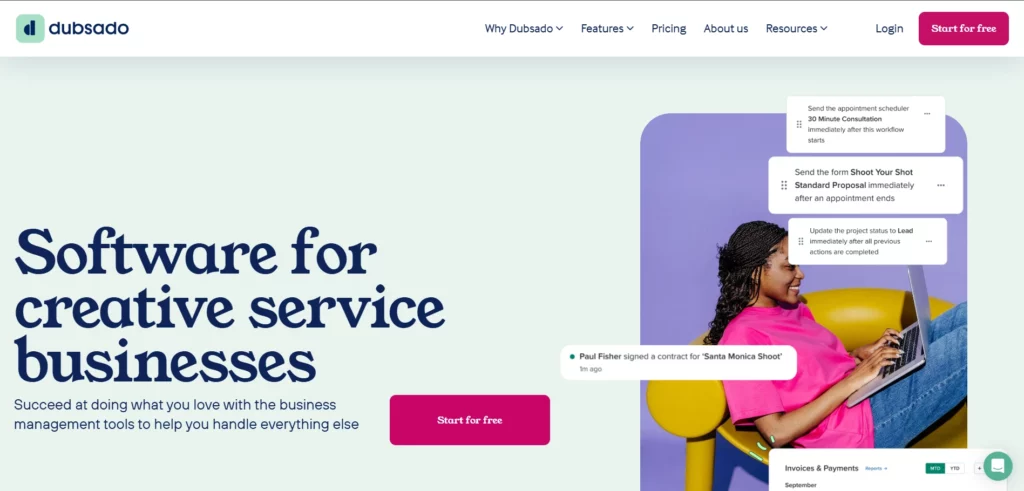
Dubsado is a robust service scheduling software for small businesses offering a full suite of tools for managing client relationships, projects, and payments in one place. With diverse features, Dubsado helps you deliver a seamless experience from start to finish. It may come with a steeper learning curve and a higher price point than some alternatives, but it’s a strong choice for those needing comprehensive scheduling and invoicing software to automate processes and stay organized.
Key features
- All-in-one client management: Manage clients from onboarding to payment in one platform, combining scheduling, invoicing, and communication.
- Customizable forms & contracts: Create tailored forms, contracts, and questionnaires for a smooth client onboarding process.
- Client portal: Provide clients secure access to contracts, invoices, forms, and messages through a branded portal.
- Integrated scheduling: Allow clients to book appointments directly with calendar integrations and automated confirmations.
- Legally compliant agreements: Track signatures and send legally binding documents to ensure contract compliance.
Pricing: Dubsado offers a free trial for up to 3 clients, with paid plans starting at $20/month. The platform complies with GDPR, CalOPPA, and COPPA regulations for secure client management.
| Pros | Cons |
| Integrates with payment processors like Stripe and PayPal | Steeper learning curve for new users |
| Automated workflows for efficiency | Higher cost compared to some other tools |
| Comprehensive client management system | Can feel overwhelming for first-time users due to feature depth |
| Recurring billing and flexible payment options | Some advanced integrations require additional setup time |
3. Paperbell

Paperbell is built especially for coaches who want a unified system for scheduling, contracts, client management, and payment. With Paperbell, you let your clients pay for coaching packages, book sessions, and sign agreements, all within the same, seamless flow. This means no more juggling between a calendar tool, Stripe, and a contract app.
Key features
- Self-scheduling for clients: Clients can pick times based on your availability, respecting time‑zones, buffer times, and your calendar blocks.
- Integrated payments & billing: You can set up session-by-session, multi-session, or subscription packages, and clients pay before booking.
- Contract creation & e-signing: Generate and send coaching agreements; clients sign contracts as part of their purchase.
- Custom intake & feedback forms: Build questionnaires, intake forms, and check-ins for client onboarding and ongoing coaching.
- Client portal: Clients get their own login with access to their session history, payments, signed contracts, and downloadable resources.
- Calendar integrations: Sync your Google, iCal, or Outlook calendar to avoid double bookings and manage your blocks.
Pricing: Paperbell offers a free account to start (no credit card required). Paid plans start at $57/month for full scheduling, package, and coaching business features.
4. Satori

Satori is a robust coaching platform that helps you design multi-session coaching programs, manage client onboarding, and automate billing, all while giving clients a seamless self-scheduling experience. If you run structured coaching programs, Satori is built to match your flow: from discovery calls to recurring coaching plans, with payment automation and client portals.
Key features
- Appointment scheduling: Allow clients to self-schedule calls, discovery sessions, or regular coaching sessions.
- Calendar sync: Sync with Google, Apple, or Outlook calendars for real‑time availability control.
- Recurring billing & custom payment plans: Automate invoices on custom cycles like subscription payment or installment plans.
- Coaching programs: Build structured multi-session packages with modules, check-ins, and progress tracking.
- Client agreements: Generate agreements for clients, and have them e-sign as part of their onboarding.
- Client check-ins: Use prompts for accountability, session preparation, and reflections to keep clients engaged.
Pricing: Satori offers a 15-day free trial. Paid plans start at $33/month for the Essentials plan.
5. CoachAccountable
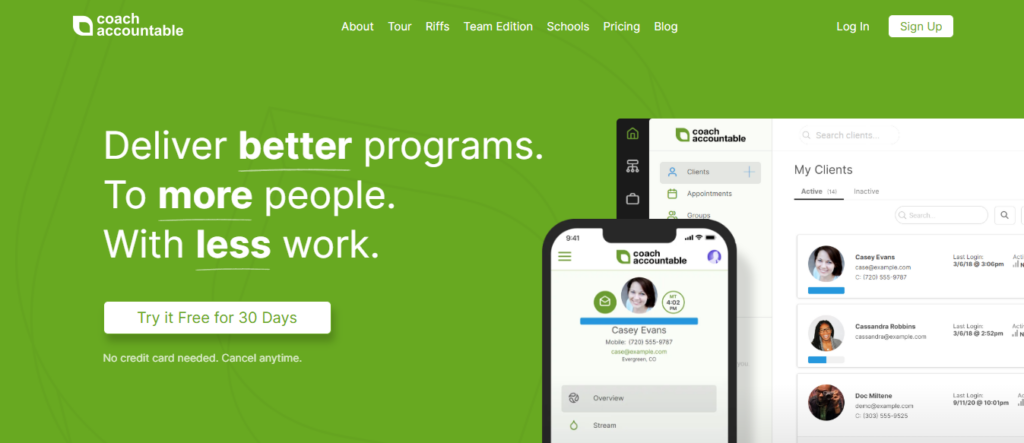
CoachAccountable is a coaching-focused platform that empowers you to run all of your coaching operations, from scheduling and session tracking to billing, client engagement, and accountability. If you want a deeply structured tool tailored to coaching practices, CoachAccountable supports your coaching calls, client tasks, progress tracking, and payment cycles seamlessly.
Key features
- Client scheduling: Allow clients to book calls, sessions, and check-ins directly on your availability.
- Recurring invoices & billing: Automate invoicing for coaching packages, recurring retainers, or individual sessions.
- Session tracking & notes: Maintain detailed coaching notes, assign homework or tasks, and review client progress over time.
- Client portal & tasks: Share resources, worksheets, and next-step tasks inside the client portal.
- Automated reminders: Send email reminders for appointments, tasks, and overdue invoices.
- Progress charts: Visualize client progress, completed tasks, and check-in responses.
- Reporting & metrics: Track your revenue, outstanding invoices, number of sessions, and coaching KPIs.
Pricing: CoachAccountable has a tiered pricing model; the Starter plan begins at US $20/month (for 2 clients), but pricing increases based on the number of active clients and advanced features.
| Pros | Cons |
| Letting clients book based on your set availability and automatically notifying them before each session | Complex scheduling setup for larger programs or recurring group sessions may require learning curve |
| Strong accountability features (tasks, check-ins, progress) | Onboarding takes time due to many coach-specific features |
| Flexible billing options for packages and recurring retainers | Can be expensive with many clients and advanced usage |
| Deep client engagement tools (tasks, shared notes) | Limited design customization for the client portal |
6. Practice Better
Practice Better is a coaching and wellness platform designed to help you manage appointments, client payments, forms, and resource delivery. It’s built for professionals who coach and consult in health, wellness, or life coaching spaces. With Practice Better, you can run your business from one place, manage client plans, and accept payments, all while keeping your coaching process compliant and smooth.
Key features
- Online booking: Clients can book sessions based on your available times.
- Recurring payments: Set up subscription-style billing or packages for multi-session coaching.
- Form builder: Create intake forms, assessments, or progress-check forms for clients.
- Client portal: Clients can log in to book, pay, view their plan, and download shared resources.
- Document & resource sharing: Share worksheets, guides, or session materials through the portal.
- Secure video & telehealth: Conduct virtual coaching sessions and keep them secure.
- Automated reminders: Send appointment and payment reminders through SMS or email.
- Reports & analytics: Monitor your business metrics like upcoming revenue, client engagement, and session trends.
Pricing: Practice Better offers the Starter plan priced at $25/month for individual practitioners (pricing may vary based on features and region) with the Professional plan at $42/month which includes additional features.
| Pros | Cons |
| Built for coaches in wellness, health, and life coaching | Higher-tier plans are needed for recurring billing and advanced features |
| Strong intake and coaching form capabilities | The learning curve can be steep for less tech-savvy coaches |
| Secure client portal and resource sharing | Telehealth and video features may require additional setup or payment gateways |
| Good automation for reminders & payments | Reporting tools are less advanced compared to specialized financial systems |
7. Trafft
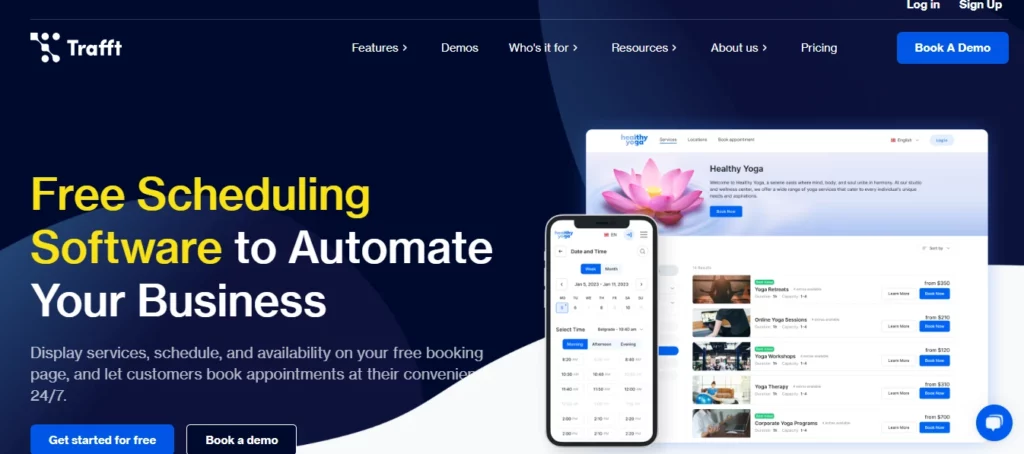
Trafft is a scheduling software designed specifically for coaches and consultants, combining appointment booking, secure payments, and client management in a clean, professional interface. If you want a tool that lets your clients book 1:1 coaching calls, pay during booking, and manage their appointments, Trafft is a powerful and flexible solution.
Key features
- Online scheduling: Let your clients self-book coaching sessions any time via a branded booking page.
- Payment processing at booking: Accept payments via Stripe, PayPal, Mollie, or Authorize.net when clients book.
- Automated reminders: Send email, SMS, or WhatsApp reminders so clients do not miss their sessions.
- Calendar sync: Sync your availability with Google, Outlook, or Apple Calendar to avoid double bookings.
- Time zone support: Automatically show available slots in the client’s time zone to simplify global bookings.
- Client management: Store client details, appointment history, and payment information in one dashboard.
- Service & package support: Set up different coaching services, packages, or courses with defined durations and pricing.
- Reminders & follow-ups: Configure reminders and follow-ups to go out automatically based on your workflow.
Pricing: Trafft offers a free trial; paid plans start from US $19/month for its scheduling and payments features (actual pricing may vary based on your usage).
| Pros | Cons |
| Professional, customizable booking page built for coaches | Payment gateways like Stripe or PayPal require setup and fees |
| Clients can pay at booking, reducing no-shows and delayed payments | Pricing can feel high for very early-stage or solo coaches |
| Automated reminders reduce client no-shows | Limited advanced coaching-program workflows, such as coaching journeys |
| Calendar sync prevents double bookings | Reporting is functional but not as deep as dedicated CRM or billing tools |
8. Acuity Scheduling
Acuity Scheduling is a polished, user-friendly scheduling and invoicing software that lets you, as a coach, offer a seamless booking experience to your clients. With powerful customization, calendar integrations, automated reminders, and built-in payment collection, you can streamline how clients book sessions and pay, all while maintaining a professional brand.
Key features
- Timezone‑aware scheduling: Automatically detect and display times in your clients’ time zones so bookings are always accurate.
- Group classes and packages: Offer group coaching sessions, class schedules, or package bundles to suit different coaching formats.
- Customizable intake forms: Use tailored forms to capture client information, goals, or pre-session questionnaires.
- Automated reminders & confirmations: Send email or SMS reminders and confirmations to reduce no‑shows.
- Payment processing integration: Connect with Stripe, PayPal, or credit cards to take payments at the time of booking or later.
- Reporting dashboard: Track sessions, no‑shows, revenue, and client metrics through built-in reports.
- Video conferencing integration: Seamlessly integrate with Zoom, Google Meet, and Microsoft Teams to manage online sessions.
- Mobile app: Manage appointments from your phone or tablet — check bookings, send reminders, or reschedule sessions on the go.
Pricing: Acuity Scheduling offers a 7-day free trial. Paid plans start at $16/month for its Starter plan.
| Pros | Cons |
| Very intuitive booking interface | Some advanced features, like class scheduling or surge pricing, require higher‑tier plans |
| Powerful integration with video tools | Might feel expensive if you’re a solo coach and don’t need all features |
| Customisable forms to capture client data | Reporting tools are somewhat basic compared to full coaching platforms |
| Automated reminders reduce no-shows | Branding customization is limited on lower plans |
9. Setmore
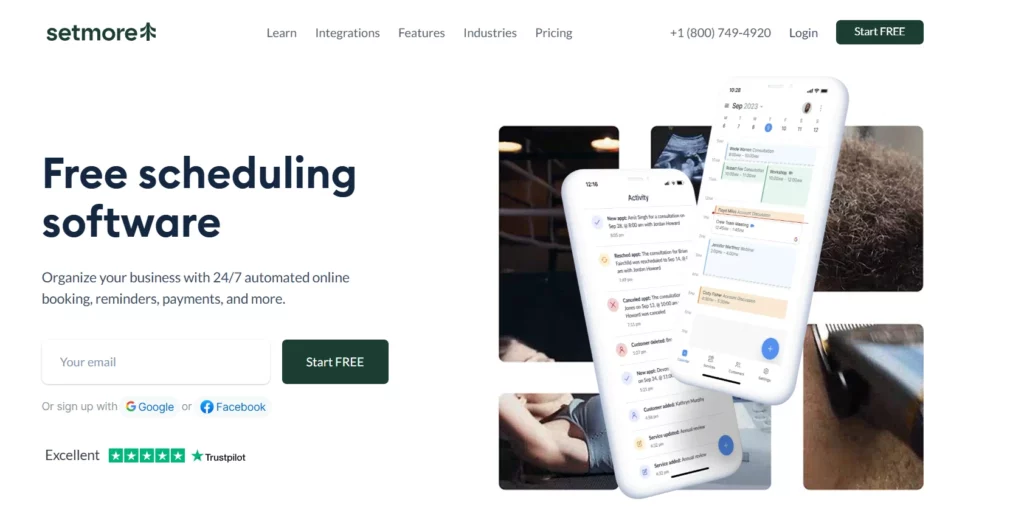
Setmore is an intuitive scheduling and invoicing software that helps you manage client appointments and payments simply and effectively. You can create branded booking pages, sync calendars, send reminders, and accept payments, all in one tool. It’s especially useful for coaches who run group sessions or recurring bookings, and want a straightforward way to manage client scheduling.
Key features
- Customizable booking pages: Brand your booking page with your logo, colors, and coaching services.
- Video meeting integration: Use Zoom or Google Meet to run virtual sessions directly from Setmore.
- Online payment acceptance: Take payments via Stripe, Square, PayPal, or LawPay.
- Mobile app with point-of-sale: Manage both in-person and online payments from your phone.
- Two-way calendar sync: Keep Setmore in sync with Google Calendar and Office 365.
- Recurring appointments: Let clients book recurring coaching sessions easily.
- Automated reminders: Send SMS or email reminders to reduce no-shows.
Pricing: Setmore is free for up to 4 users and 200 appointments per month; paid plans start at $5/user/month.
| Pros | Cons |
| Customizable booking pages with branding | Sync issues with the calendar have been reported |
| Zoom and Google Meet integrations | The scheduling form layout can be confusing or cluttered |
| Accepts online payments via multiple gateways | Reporting and analytics capabilities are limited |
| Mobile app with built-in point-of-sale | |
| Two‑way calendar sync with Google & Office 365 |
10. vCita
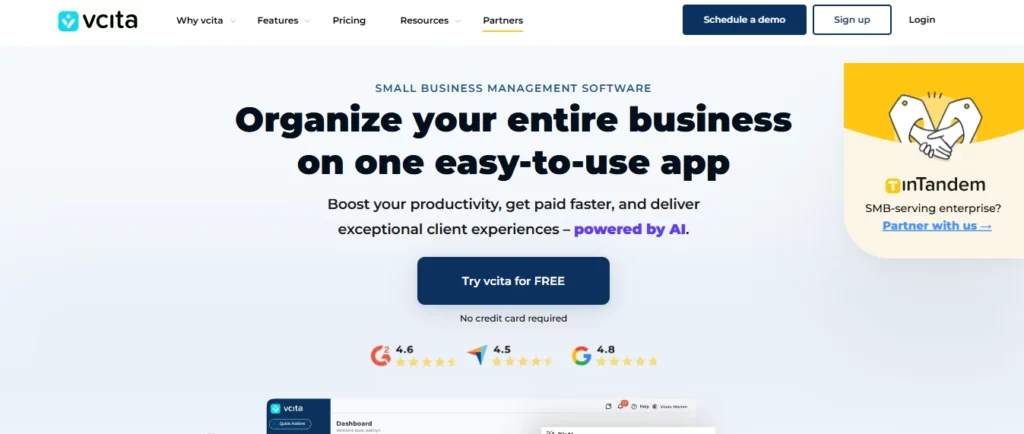
vCita is a flexible scheduling and client management tool that supports online bookings, invoices, and payments, making it a solid choice for coaches who also run service-based businesses. Using vCita, you can manage appointments, request payment on booking, and maintain client records all in one tool, helping you eliminate manual follow-ups and streamline your workflow.
Key features
- Online booking pages: Let clients self-book coaching sessions directly via your vCita booking link.
- Pay-on-booking: Request full payment, a deposit, or a custom fee when clients schedule, reducing missed payments.
- Recurring billing: Set up subscriptions, retainer invoices, or installment plans for ongoing coaching.
- Contracts & forms: Send intake forms or coaching agreements and collect e-signatures.
- Client portal: Provide clients a secure login to view appointments, invoices, past payments, and messages.
- Email & SMS reminders: Automate reminders for upcoming sessions and unpaid invoices.
- Calendar sync: Sync with Google Calendar to keep your availability consistent.
Pricing: vCita pricing starts at US $29/month for the Starter plan (though pricing can vary by region and features).
| Pros | Cons |
| Great combination of scheduling + payments in one app | Can be expensive when scaled (premium features + users) |
| Clients pay at the time of booking, reducing no-shows | The UI for coaches can feel a bit cluttered with many features |
| Good automation for reminders and client engagement | Learning curve for customizing contracts and payment plans |
| Powerful mobile app for on-the-go management | Some payment features (like advanced subscriptions) need higher plans |
Now that you know the 10 best online scheduling and payment software solutions, let’s take a look at how to choose the best billing software for your business.
Read also: Top 10 Appointment Scheduling Softwares to Use in 2025
How to Choose the Best Billing Software for Your Coaching Business
A scheduling software with integrated billing and invoicing features streamlines your workflow, saves time, and helps you get paid faster. It acts as an all-in-one system that handles everything from appointment scheduling to sending invoices and processing payments.
Thus, when choosing the best billing and invoicing software for your coaching business, it’s crucial to evaluate how it meets your specific needs. Here are key factors to consider:
1. Integration capabilities
Your billing software should seamlessly integrate with other tools you use, like your CRM or financial platforms. Think about how easily your invoicing and scheduling software will sync with these systems to make sure your financial data flows smoothly, helping you avoid manual entry mistakes and ensuring accurate billing.
2. Scalability as you grow
As your coaching business expands, so will your client base and pricing structure. Your billing and invoicing software needs to grow with you. Look for a platform that supports pricing flexibility, such as different pricing tiers or the ability to charge per usage, per unit, or by volume. This will allow you to scale smoothly as your business evolves.
3. Ease of use
Billing should be as simple as possible, so choose a software that makes it easy to manage your finances. The invoicing and scheduling software you pick should have a clean, intuitive interface that allows you to handle billing tasks without getting bogged down in complex processes.
4. Pricing
Make sure the billing and invoicing software fits within your budget. Compare different scheduling and invoicing apps to see which ones offer pricing tiers that suit your current needs while providing room to scale. The software should be affordable now and allow for gradual increases in price as your business grows, without steep price hikes.
By carefully considering these factors, you can choose the scheduling and billing software that not only fits your business today but also supports your future growth, helping you manage your finances effortlessly.
Don’t just settle for any software; choose the one that checks off all the boxes. For instance, if you’re a life coach, look for software that allows you to schedule sessions, track client goals, and share resources all in one place.
Conclusion
As a coach, time is everything. Managing schedules, invoices, and payments manually only adds unnecessary stress. The constant fear of missed appointments or unpaid bills is exhausting, but it doesn’t have to be.
With the right scheduling and billing software, you can eliminate these worries. By automating your workflows – from session scheduling to payment collection – you’re not just saving time, you’re ensuring your clients receive a seamless, professional experience every time.
Choosing the right tool isn’t just about features; it’s about finding a solution that streamlines your business. Ready to take control of your schedule, payments, and client relationships? Invest in the right software today, and stop letting administrative chaos hold you back.
Simply.Coach offers the perfect blend of scheduling, invoicing, and payment management, helping you stay organized, increase revenue, and free up more of your time to grow your coaching practice.
FAQs
1. How can scheduling software reduce the time I spend on invoicing as a coach?
By using tools that combine booking and payment flows, such as Trafft, you can automatically generate invoices when clients book. This means fewer manual invoices, fewer missed payments, and more time spent coaching.
2. Can I accept payment from clients at the time of booking to minimize no-shows?
Yes. Many coach-focused tools let you require a deposit or full payment when a client schedules a session. This practice helps reduce no-shows, ensures commitment, and streamlines your cash flow. Tools like Trafft support this directly.
3. How do coaching scheduling tools handle international clients and time zones?
Leading scheduling platforms automatically adjust available slots to each client’s time zone. That way, you do not have to manually calculate time differences and scheduling remains seamless for global clients.
4. Is it safe to store client data and billing information in coaching scheduling software?
Yes. Many coaching platforms are built with secure client portals, encrypted data storage, and compliant workflows to protect sensitive information. For example, systems like Simply.Coach support secure client portals, form sharing, and invoicing.
5. What if I want to track coaching program progress and billing in one place?
You can choose coaching platforms that support multi-session packages, recurring invoices, and progress tracking all in one. Tools like Satori and CoachAccountable allow you to create structured programs, invoice clients accordingly, and monitor their development over time, reducing the need for separate spreadsheets.