
You handle deeply personal and sensitive client information every day, often starting at the scheduling stage. A simple online booking form can collect names, emails, diagnoses, and session details without proper protection. If your scheduling tool is not truly HIPAA compliant, you carry serious legal and ethical risk. One unsecured reminder or shared calendar link can expose protected health information and damage client trust instantly.
Many therapists assume their current calendar tool is safe, yet most general scheduling apps do not sign a Business Associate Agreement. HIPAA compliant scheduling software protects your clients and shields your practice from costly penalties and audits. It also gives you clear control over who can access, edit, and store appointment data. In this guide, you will discover the best HIPAA compliant scheduling software for therapists in the United States and learn how to choose the right solution for your practice.
Key Takeaways
- HIPAA-compliant scheduling software protects client data with encrypted messaging, BAAs, and secure storage.
- Top platforms combine scheduling, session notes, telehealth, and client portals for seamless workflow.
- Simply.Coach, SimplePractice, Ensora, TherapyNotes, Acuity, Jane App, CareCloud, and Zanda are leading HIPAA-ready options.
- Choose software based on telehealth integration, session note capabilities, client portal security, and pricing for your practice size.
- The right tool reduces administrative work, minimizes no-shows, and lets you focus on client care.
- Always verify HIPAA compliance, enable secure reminders, and review software periodically to maintain practice security.
- Simply.Coach stands out as an all-in-one HIPAA-compliant therapy practice management software, combining scheduling, client engagement, telehealth, and session tracking in one platform.
What makes Scheduling Software HIPAA Compliant?
HIPAA compliant scheduling software must provide encryption, strict access controls, detailed audit logs, secure data storage, and a signed Business Associate Agreement. These safeguards ensure that any protected health information collected during booking remains confidential and traceable. If your software cannot demonstrate each of these protections clearly, it does not meet HIPAA standards for therapists.
Compliance requires more than a secure login screen. You need a system designed to secure electronic protected health information at every stage of the scheduling process.
Required safeguards for appointment scheduling tools
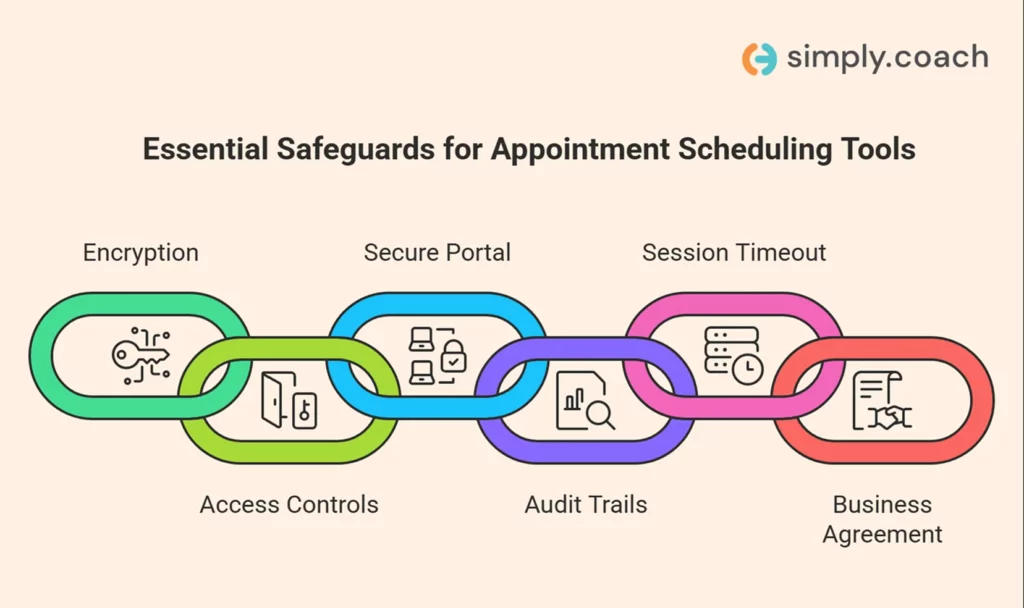
Before you select any scheduling platform, confirm that it includes the following safeguards. Each one directly affects your legal exposure and your client’s confidentiality.
- Encryption in transit and at rest: Your scheduling software must encrypt data when clients book appointments and while information remains stored on servers.
- Role-based access controls: You should be able to restrict access based on staff responsibilities, so only authorized users view sensitive information.
- Secure client portal: Clients must book, cancel, or reschedule sessions through an encrypted portal instead of regular email or open forms.
- Audit trails: The system should record every access, edit, or deletion of appointment data to support compliance and breach investigations.
- Automatic session timeout: The platform must log users out after inactivity to reduce unauthorized access on shared or public devices.
- Signed Business Associate Agreement (BAA): The vendor must sign a BAA confirming their legal responsibility to safeguard protected health information.
If any one of these safeguards is missing, your scheduling process may place your therapy practice at serious compliance risk.
Also read: Top 10 HIPAA-Compliant Therapy Practice Management Software: A 2026 Guide for Therapists
Benefits of HIPAA Compliant Scheduling Software vs Risks Therapists Face without it
When you choose HIPAA compliant scheduling software, you protect more than your calendar. You protect your clients’ confidentiality, your professional license, and your practice’s reputation. The table below shows what you gain with compliant software and the real risks you face without it.
| Benefits of HIPAA compliant scheduling software | Risks therapists face without it |
| Protected appointment data: Encryption keeps client names, session types, and notes secure during booking and storage. | Exposure of protected health information: An unsecured booking form can leak diagnoses, treatment types, or mental health history. |
| Signed Business Associate Agreement (BAA): The vendor shares legal responsibility for safeguarding client information. | Full legal liability on you: Without a BAA, you remain solely responsible for any breach involving client scheduling data. |
| Role-based access control: You decide which staff members can view calendars, intake forms, or session details. | Unauthorized internal access: Front desk staff or assistants may access sensitive information beyond their job responsibilities. |
| Audit logs for accountability: You can track who accessed, edited, or deleted appointment records. | No traceability during incidents: You cannot identify how or when data was accessed if a breach occurs. |
| Secure client portals: Clients book or reschedule sessions inside encrypted environments instead of open email threads. | Data shared through insecure channels: Regular email confirmations or SMS reminders may expose protected health information. |
| Automatic session timeouts: The system logs users out after inactivity to prevent unauthorized access. | Open screens in shared spaces: A forgotten login on a shared device can expose your entire appointment schedule. |
| Reduced compliance stress: You operate with documented safeguards that align with HIPAA Security Rule requirements. | Increased audit risk and penalties: A compliance review can result in fines, corrective action plans, or reputational damage. |
HIPAA compliant scheduling software gives you structured protection, while non-compliant tools leave your therapy practice exposed to preventable risk.
Also read: Top 18 Apps for Therapists to Use With Clients in 2026
Best HIPAA Compliant Scheduling Software for Therapists
We evaluated each tool specifically for therapy practices in the United States. This includes how deeply each platform supports HIPAA compliance, therapist-friendly workflows, secure client interfaces, progress tracking, telehealth readiness, ease of daily use, and pricing fit for solo practitioners and group practices.
1. Simply.Coach
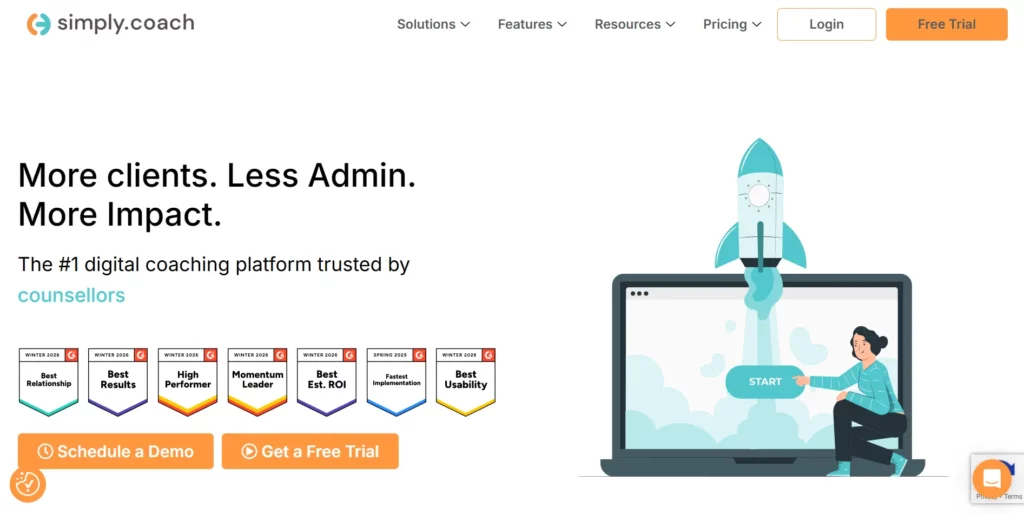
Simply.Coach is a HIPAA compliant all in one therapy practice management platform built to support therapists with scheduling, client engagement, and overall practice workflows. You get a unified system where appointments, session notes, progress tracking, and client forms work together without switching between apps.
Key HIPAA & security features:
- Secure client workspace: Each client interacts through an encrypted, protected portal.
- Encrypted communication: Messages and files stay confidential and meet HIPAA requirements.
- Access control: You control who on your team can view or update sensitive information.
- Compliance‑ready infrastructure: The platform has safeguards that align with HIPAA Security Rule requirements.
Therapist‑specific features:
- Calendar & Integrations:Sync your Google, Apple/iCloud, or Microsoft calendars, connect multiple calendars simultaneously, run sessions via Zoom, Google Meet, Microsoft Teams, or Cisco Webex, and use Zapier to link Simply.Coach with thousands of apps including email, CRM, and accounting tools.
- Session notes: Store clinical notes alongside appointments for easier reference.
- Goal tracking:Set and update client goals with visible progress over time.
- Structured care journeys: Plan sessions as structured therapy paths, not isolated appointments.
- Digital forms:Collect intake and session feedback securely through HIPAA‑safe forms.
- Multi‑stakeholder reporting:Share relevant reports with stakeholders when needed.
Pros: Therapists get a single platform for clinical and administrative work. You save time and reduce compliance risks without juggling many tools.
Pricing:Plans begin at $9 per month for the Starter plan and scale up with more features and users.
- Starter: $9/month
- Essentials: $29/month
- Growth: $49/month
- Leap: $69/month (Prices may vary based on billing frequency and annual discounts).
Ratings:
- G2: 4.8/5 rating (45+ user reviews)
- Capterra: 4.6/5 (40+ reviews)
2. SimplePractice

You need a scheduling tool that also supports your entire therapy workflow. SimplePractice is a widely used HIPAA compliant practice management platform built for mental health clinicians. It combines secure scheduling with reminders, client portals, telehealth, and documentation tools that fit a therapy practice’s daily needs.
Features of SimplePractice:
- HIPAA‑compliant scheduling and reminders: Send secure appointment reminders that protect client data.
- Calendar sync & filters: Sync with Apple, Google, or Outlook calendars and filter by client status, balances, or clinician.
- Automated reminders: Text and email reminders help reduce no‑shows.
- Secure client portal: Clients can confirm, reschedule, or access session details securely.
- Integrated telehealth: Conduct virtual sessions within the same HIPAA‑secure platform.
Pros:
- Built specifically for therapy practices with integrated clinical tools.
- Reduces administrative work with automated features.
- Strong client portal functionality for secure interactions.
Cons:
- Some advanced features like calendar sync require higher‑tier plans.
- Pricing can rise quickly as practice grows.
- Role‑based permissions may be limited on entry plans.
Pricing:
Starter plan begins at $24.50/month, with Essential and Plus tiers increasing based on features.
Ratings:
G2: 4.4/5 (100+ ratings)
Capterra: 4.6/5 (2,800+ reviews)
3. Ensora Mental Health (formerly TheraNest)

Ensora Mental Health is a HIPAA compliant practice management and scheduling platform that serves therapists and mental health practices of varied sizes. It supports client scheduling, documentation, inventory of notes, billing basics, and a client portal in one place. Reviews from practitioners highlight strong scheduling support but also some areas of workflow friction since the transition from the legacy TheraNest system.
Features of Ensora Mental Health:
- HIPAA‑compliant scheduling: Appointment tools that align with security standards for clinical data.
- Telehealth and client portal: Virtual session support and secure access for clients.
- Customizable forms and notes: Intake, progress notes, and documentation tailored to your workflow.
- Appointment management: Track, edit, and schedule sessions from a central calendar.
- Patient records and billing basics: Keep records and process payments within the platform.
Pros:
- Strong scheduling and client management tools for private practices.
- Intuitive scheduling, documentation, and telehealth in one interface.
- Responsive customer support noted by many users.
Cons:
- Some users report occasional glitches or slowdowns in scheduling and system navigation.
- Calendar syncing can be less flexible than expected.
- Reports of challenges in multi‑location management and customization.
Pricing:
Pricing starts at $29/month per user and scales for larger practices depending on features and users.
Ratings:
G2: 4.0/5 (100+ ratings)
Capterra: 4.4/5 (990+ reviews)
4. TherapyNotes

You need scheduling software that goes beyond appointments and protects your client data end‑to‑end. TherapyNotes is an HIPAA compliant practice management platform built specifically for behavioral health clinicians. It combines secure scheduling, clinical documentation, reminders, telehealth, and billing in one workflow that respects your therapy processes.
Features of TherapyNotes:
- HIPAA‑compliant scheduling: Schedule, view, or reschedule client appointments securely inside the platform.
- Integrated calendar: Built‑in calendar that supports blocking, appointment views, and client availability at a glance.
- Telehealth: Secure, HIPAA‑compliant video sessions without separate tools.
- Automated reminders: Reduce no‑shows with text and email appointment alerts.
- Comprehensive documentation: Easy progress notes, SOAP/DAP templates, treatment plans, and diagnostic codes.
Pros:
- Designed for therapists with clinical documentation and scheduling in one place.
- Secure client portal syncs scheduling with note access and reminders.
- Auto reminders help reduce last‑minute cancellations.
Cons:
- Pricing is higher than basic scheduling‑only tools if you only need booking features.
- Interfaces can feel dated compared to newer platforms.
- Some users report limited customization on calendar colors or themes.
Pricing:
- Solo: $69/month per clinician
- Group: $79/month per clinician
- Enterprise (30+ users): $79/month for first clinician; +$50/month per added clinician
Ratings:
G2: 4.4/5 (97+ ratings)
Capterra: Approx. 4.7/5 (900+ reviews)
5. Acuity Scheduling

If you want a HIPAA compliant tool focused on appointment booking rather than full clinical documentation, Acuity Scheduling lets you enable HIPAA compliance on certain plans. It allows clients to self‑schedule securely, sync appointments, and integrate reminders, all with customizable booking pages. To use it safely for therapy, you must sign a Business Associate Addendum (BAA) and enable HIPAA features on the Premium/Powerhouse plan.
Features of Acuity Scheduling:
- HIPAA‑enabled scheduling: Turn on HIPAA features and sign a BAA on Premium/Powerhouse plans.
- Self‑service booking: Clients can view availability and book sessions online.
- Automated reminders: Email and text reminders help cut down no‑shows, with HIPAA‑protected options.
- Calendar sync: Integrate with Apple, Google, or Outlook (with HIPAA configuration caveats).
- Custom intake forms: Collect booking data securely before a session.
Pros:
- Very flexible appointment scheduling and self‑booking experience.
- HIPAA compliance possible with proper plan and BAA setup.
- Works well with external calendars and video integrations.
Cons:
- You must enable the correct plan and sign a BAA to use it in a HIPAA‑secure way.
- Some calendar sync features may not fully support HIPAA when enabled.
- It does not offer a full clinical workflow or documentation features.
Pricing:
- Starter: $16/month
- Standard: ~$27/month
- Premium (HIPAA enabled): ~$49/month (required for BAA)
- Enterprise: Custom pricing with advanced control
Ratings:
G2: ~4.7/5 (general scheduling category)
Capterra reports high user satisfaction in scheduling features
6.Jane App

Jane App offers HIPAA compliant practice management that includes intuitive scheduling, secure telehealth, and robust charting. It supports secure online booking, clinician calendars, and workflows that keep your client information both private and easy to manage. Jane also covers billing, documentation, and reminders in a single system trusted by many mental health practices.
Features of Jane App:
- Online scheduling: Clients can self‑book appointments securely anytime.
- HIPAA compliance: Jane is built to support HIPAA standards alongside other privacy laws like PIPEDA and PHIPA.
- Telehealth: Conduct secure virtual sessions for 1:1 or group therapy.
- Session notes & charting: Rich documentation with customizable templates and AI‑assisted scribing options.
- Integrated billing & payments: Unified invoicing, credit card processing, and superbills are supported.
Pros:
- Easy, intuitive scheduling and client self‑booking interface.
- HIPAA compliant with strong security and privacy settings.
- Combines scheduling with documentation, reminders, and billing.
Cons:
- Higher price point compared with standalone scheduling tools.
- Learning curve for clinicians new to all‑in‑one systems.
- Some users find advanced billing and payment customization limited.
Pricing:
Jane App pricing varies based on plan and add‑ons, typical base subscriptions start from $54 per month per practitioner for the Balance plan with options (Practice plan at $79 & Thrive plan at $99) for additional telehealth or advanced billing features.
Ratings:
Capterra: ~4.8/5 (480+ reviews)
User sentiment overall is high with ~96% positive recommendation
7. CareCloud
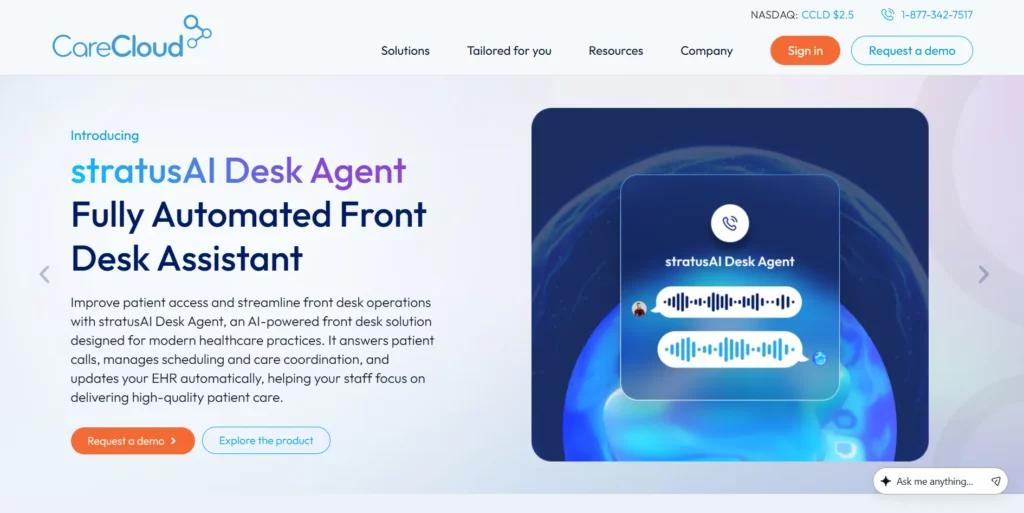
You need a platform that manages appointments and your entire practice securely. CareCloud is a cloud-based HIPAA-compliant system designed to help you schedule clients, manage patient records, run telehealth sessions, and handle billing, all from a single platform. It works well whether you’re a solo therapist or running a multi-provider practice.
Features of CareCloud:
- HIPAA‑compliant scheduling: Manage your client appointments securely within a protected system.
- Patient self-booking: Let your clients request or book appointments directly through a secure portal.
- Integrated EHR & practice management: Keep clinical notes, scheduling, and billing all in one place.
- Telehealth support: Run HIPAA-compliant video sessions and link them to appointments seamlessly.
- Automated reminders: Reduce no-shows with email and SMS reminders sent automatically to your clients.
Pros:
- You can manage appointments, notes, and billing in one secure platform.
- HIPAA compliance ensures your clients’ data is always protected.
- Scales easily as your practice grows from solo therapy to multiple providers.
Cons:
- The pricing may be high if you only need scheduling for a small practice.
- You may experience a learning curve due to the many features available.
- Customer support responsiveness can vary depending on your plan.
Pricing:
- Pricing available on request by contacting their sales team
Ratings:
G2: Not widely rated for scheduling
Capterra: Positive reviews for scheduling and practice management
8. Zanda
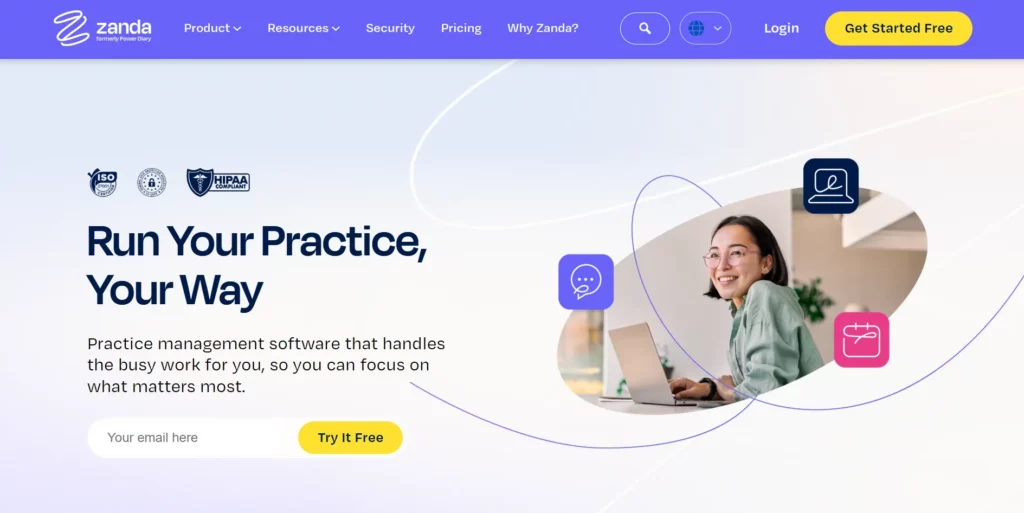
As a therapist, you need a simple, secure way to manage appointments and client information. Zanda is a HIPAA-compliant platform that allows you to schedule sessions, send reminders, run telehealth appointments, and manage client records efficiently. It’s ideal for solo therapists or small clinics who want control over their workflow without juggling multiple tools.
Features of Zanda:
- HIPAA‑compliant scheduling: Book, reschedule, or cancel client appointments securely in your calendar.
- Online booking & client portal: Let your clients book sessions directly and access their appointments securely.
- Automated reminders: Reduce no-shows with SMS and email notifications sent automatically.
- Telehealth & secure video: Conduct virtual therapy sessions securely within the platform.
- Clinical notes & progress tracking: Keep intake forms, session notes, and treatment plans linked to appointments.
Pros:
- You can let clients self-book, saving time for your practice.
- HIPAA-compliant telehealth and appointment reminders protect client data.
- Perfect balance of scheduling and practice management features for small practices.
Cons:
- Multi-location or advanced features may require higher-tier plans.
- SMS reminders can incur additional costs.
- Adding more practitioners increases monthly costs.
Pricing:
- Starter: $9.50/month for one practitioner
- Growth: $24.50/month for one practitioner with unlimited appointments
Ratings:
G2: Limited ratings
Capterra: ~4.5/5 (100+ reviews)
Comparison of Top HIPAA-Compliant Scheduling Software for Therapists
Choosing the right HIPAA-compliant scheduling software can save you time, reduce compliance risks, and streamline your therapy practice. This table compares the leading platforms, highlighting security, telehealth, session notes, client portal features, ideal practice types, and starting prices to help you make an informed decision.
| Software | BAA offered | Encrypted messaging | Telehealth integration | Session notes | Client portal | Best for | Starting price |
| Simply.Coach | Yes | Yes | Zoom, Google Meet, Teams, Webex | Yes | Secure client workspace | Solo & group therapy practices needing all-in-one management | $9/month |
| SimplePractice | Yes | Yes | Integrated telehealth | Yes | Secure client portal | Mental health clinicians wanting scheduling + documentation | $24.50/month |
| Ensora Mental Health | Yes | Yes | Telehealth | Customizable | Client portal | Small to mid-size therapy practices | $29/month |
| TherapyNotes | Yes | Yes | Secure video sessions | SOAP/DAP templates | Client portal | Behavioral health clinicians needing documentation + scheduling | $69/month solo, $79/month group, $79/month enterprise for first clinician |
| Acuity Scheduling | Yes (Premium/Powerhouse) | Yes | Integrates with Zoom & others | Limited | Client portal for booking | Therapists needing HIPAA scheduling only | $16/month starter, $49/month HIPAA-enabled |
| Jane App | Yes | Yes | Secure virtual sessions | Session notes & charting | Client portal | Clinics needing scheduling + billing + documentation | $54/month per practitioner Balance plan, $79/month per practitioner Practice plan, $99/month per practitioner Thrive plan |
| CareCloud | Yes | Yes | Telehealth support | Integrated | Patient portal | Solo to multi-provider practices needing full practice suite | Pricing available on request |
| Zanda | Yes | Yes | Telehealth & secure video | Notes & progress tracking | Client portal | Solo or small therapy practices | $9.50/month starter, $24.50/month growth |
If you want a more detailed look at additional scheduling software options for therapists, you can check out our full guide – 20 Best Scheduling Software for Therapists in 2026: Top Picks, Features, and Pricing
How to Choose the Right HIPAA Compliant Scheduling Software as a Therapist
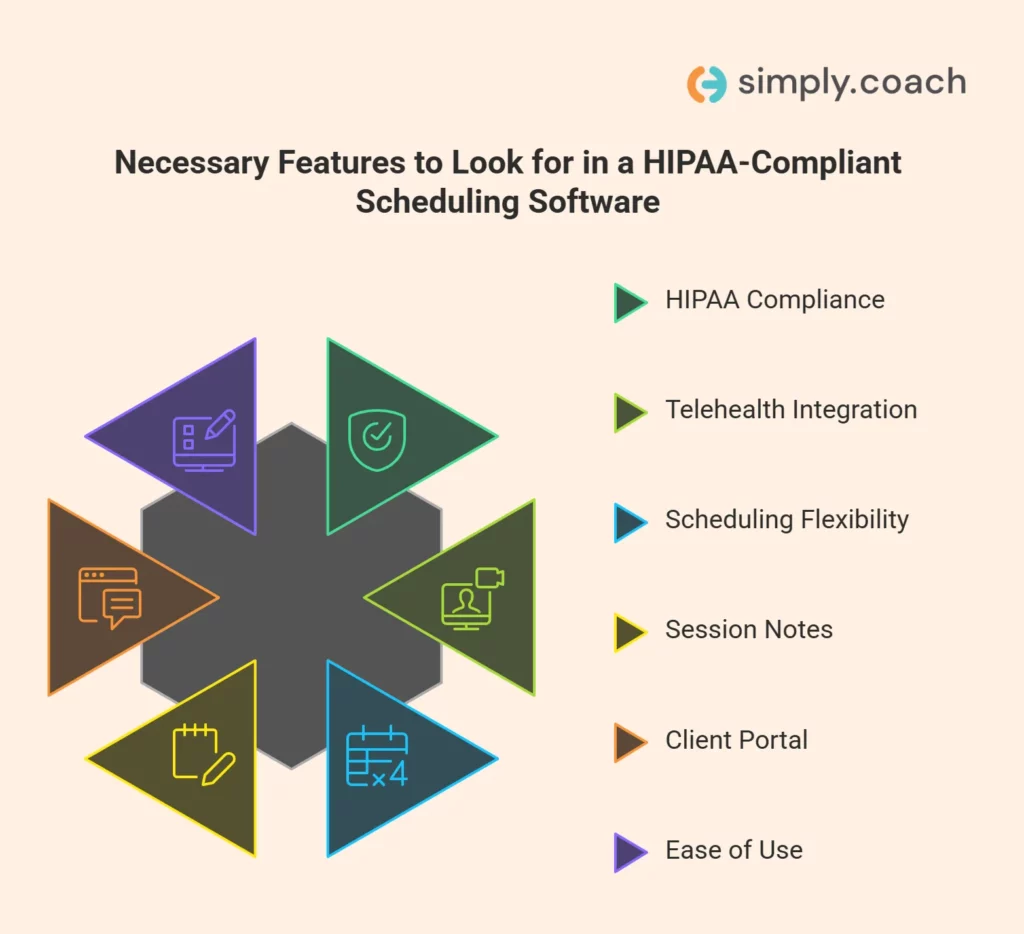
Finding the right scheduling software can be overwhelming, but focusing on core features ensures your practice stays secure, organized, and efficient.
- Verify HIPAA compliance: Ensure the platform provides a signed BAA and meets HIPAA privacy and security rules.
- Check telehealth integration: Look for built-in secure video sessions or smooth integration with Zoom, Teams, or Google Meet.
- Assess scheduling flexibility: Confirm the software allows calendar sync, recurring sessions, multiple providers, and client self-booking.
- Evaluate session notes & documentation: The tool should let you store clinical notes, progress tracking, and treatment plans securely.
- Review client portal features: Clients should access schedules, forms, and session details in a HIPAA-protected workspace.
- Consider ease of use: Choose software that reduces admin time with automated reminders and intuitive navigation.
This approach ensures you select a tool that protects client data while supporting your therapy practice effectively.
Also read: Top 9 HIPAA-Compliant Note-Taking Tools for Therapists in 2026
Conclusion
Finding the right HIPAA-compliant scheduling software means protecting your clients’ data while keeping your practice organized. The right tool reduces missed appointments, simplifies session tracking, and gives you clear visibility over your daily workflow. Comparing features like telehealth, client portals, and secure notes ensures you pick a solution that truly supports your therapy practice. With the right choice, you reclaim time to focus on helping clients, not managing schedules.
For therapists who want a complete solution, Simply.Coach offers an all-in-one HIPAA compliant therapy practice management software. It streamlines scheduling, session notes, telehealth, client engagement, and overall practice management, helping you focus fully on delivering care.
FAQs
1. Can generic scheduling tools ever be used safely for therapy appointments?
No, most generic schedulers (e.g., Calendly) do not sign a Business Associate Agreement or encrypt PHI, so they don’t meet HIPAA requirements unless explicitly configured with a BAA.
2. Do HIPAA‑compliant scheduling platforms need multi‑factor authentication for extra security?
Yes, platforms with multi‑factor authentication add an essential layer of protection against unauthorized access, making client information more secure than password‑only systems.
3. Are HIPAA‑compliant reminders always required for therapy appointment notifications?
Yes, to protect client data, appointment reminders should be sent via HIPAA‑secure messaging within the platform or secure portals, not through regular email or standard SMS.
4. Can clients self‑schedule securely if they use mobile devices?
Yes, if the scheduling platform encrypts data, authenticates users, and protects the booking page, clients can safely self‑schedule from mobile without risking PHI exposure.
5. How often should you review HIPAA compliance of your scheduling software?
You should reassess compliance at least annually or whenever major feature changes occur to ensure the system continues to protect client health information securely.