If your client notes live in one app, your reminders in another calendar and your payment links in long email threads, you already know why coaches look for a CRM. A CRM for coaches keeps client records, session notes, follow-ups and payments in one place, and the best one is the system that fits how you coach and how big your practice is.
Coaching CRMs range from tools built around coaching engagements to general sales CRMs and business admin apps that coaches adapt. The platforms below are compared on what they do well, where they fall short and what they cost, and “How to Choose the Right CRM for Your Coaching Business” turns that into a shortlist for your own practice.
TL;DR
The best CRM for coaches depends on your coaching model and on how much of the business you want in one system. Coaching-specific platforms such as Satori and Paperbell keep client schedules, communication and payments together for one-to-one practices. General CRMs such as HubSpot CRM, Zoho CRM and Agile CRM are strongest at pipelines and marketing automation, and Keap adds email and SMS campaigns at a higher price. HoneyBook, Dubsado and Bonsai cover proposals, contracts and invoices, ClickUp suits coaches who want to build their own workspace, and Simplero fits coaches who sell courses and memberships. Entry prices run from free plans at HubSpot CRM, Agile CRM, ClickUp and Zoho CRM to $299 a month for Keap.
What Constitutes a CRM
A CRM, or customer relationship management system, is a platform that helps you organize, track and manage every part of your relationship with clients. Adapted for coaching, it becomes the tool that holds your practice together, from the first inquiry to the last session.
A CRM for coaches can help you:
- Track client goals and session progress
- Schedule coaching sessions without back-and-forth
- Organize notes, documents, and forms
- Manage billing and payments
- Keep your communication consistent and professional
Many coaches assume CRM software is expensive or only for large coaching companies. The right CRM can support any coaching business, even if you work solo or are just starting out, because it brings your essential tasks into one place and leaves more time for coaching. The same idea sits behind the wider benefits of coaching software, which put the whole client relationship in one place.
That said, not every coach needs a CRM. Some coaches prefer separate tools:
- A scheduling app for booking appointments
- A notes app for progress tracking
- An email platform for communication
That is fine if it works for you. If you find yourself juggling too many tools, missing follow-ups or spending too much time on admin, a CRM built for coaches makes the whole business run more smoothly. Most of that admin sits in payments and activity tracking, the parts of coaching administration a CRM can take off your plate.
Benefits of CRM for coaches
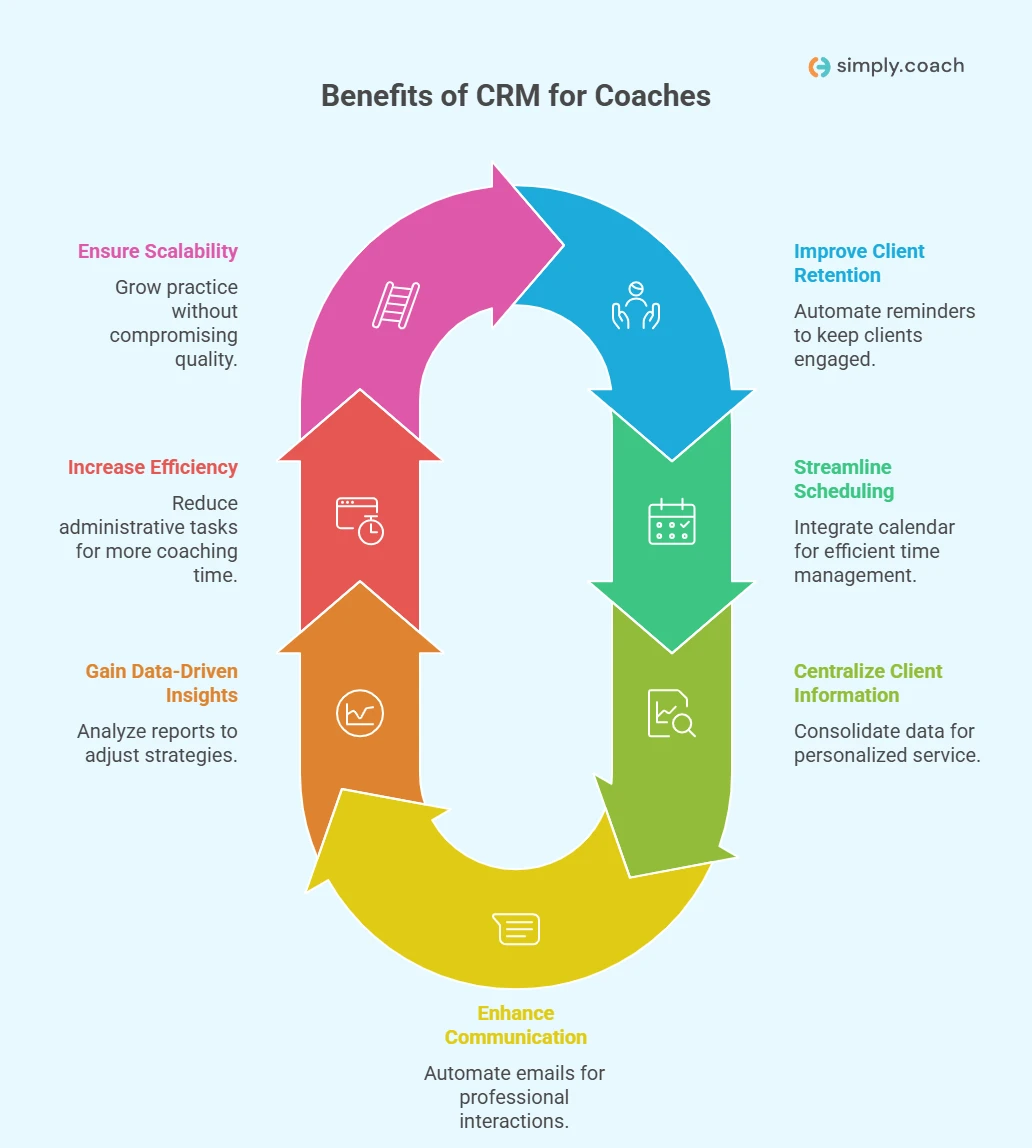
A CRM built around coaching pays off in seven practical ways, from fewer missed check-ins to room to take on more clients.
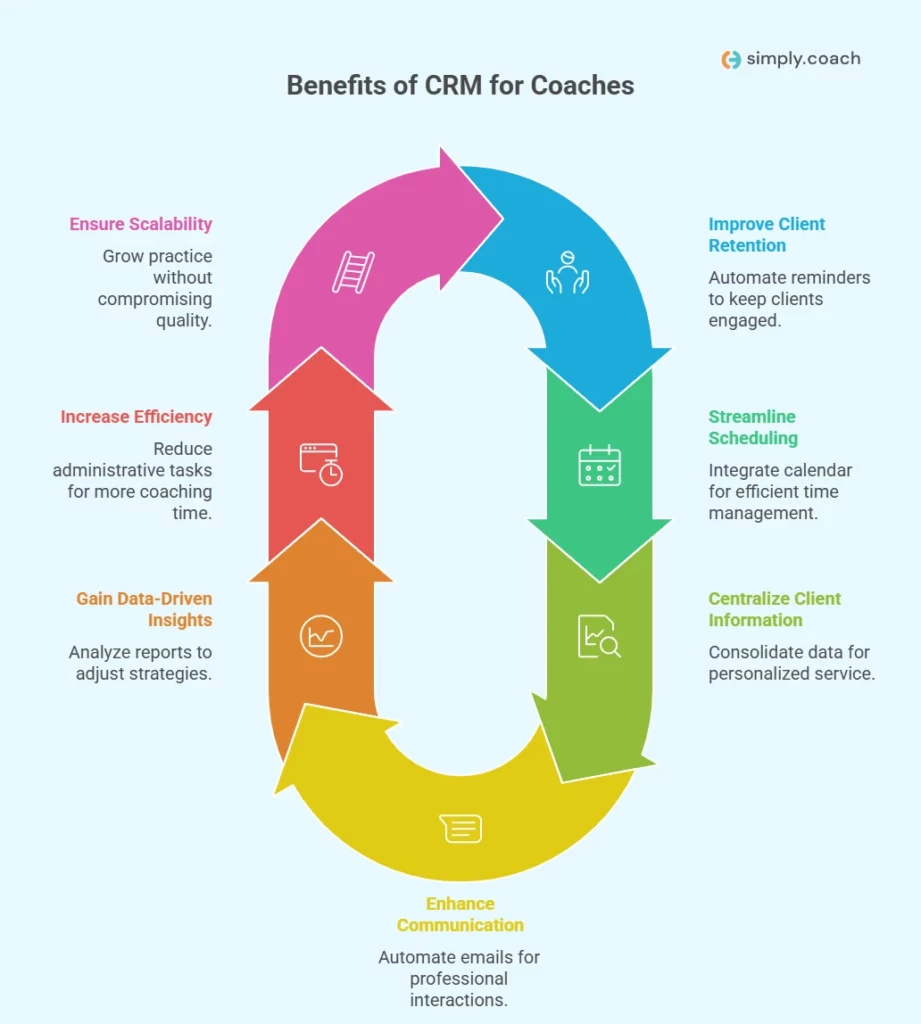
- Improved client retention: Automated reminders and follow-ups keep clients engaged and committed, which helps them stay with you.
- Simpler scheduling and time management: A CRM for coaches connects to your calendar, automates appointments and saves time.
- Centralized client information: A single platform consolidates client data, making it easier to track progress and provide personalized service.
- Clearer communication: Automate emails and session reminders to stay on top of client interactions and maintain professionalism.
- Data-driven insights: CRM platforms offer reports and analytics that allow you to evaluate client progress and adjust strategies effectively.
- Increased efficiency and automation: CRM reduces administrative work like invoicing and follow-ups, freeing up more time for coaching.
- Scalability: As your coaching practice grows, a CRM handles more clients without a drop in quality.

Get Our ‘Business Coach Brand Building Toolkit’!
Now that you’ve learned how CRM can boost efficiency, take the next step in scaling your practice with our toolkit. Build a strong brand, attract clients, and grow your business.

How We Chose These CRM Platforms
Every CRM below was judged on the same criteria, so you can compare the entries on equal terms.
- What we compared: twelve CRM platforms coaches use to manage clients, from coaching-specific tools to general sales CRMs, business admin apps and course platforms.
- Where the details come from: each vendor’s own product and pricing pages.
- How we judged them: client records and follow-up, scheduling, notes and goal tracking, payments, automation, integrations and the entry price.
- What we left out: CRMs for personal trainers and fitness coaches, which serve a different reader, and review-site star ratings, which change often.
List of Top 12 CRM Platforms for Coaches
The twelve platforms below all keep client records and follow-ups in one place, but they differ in how much of the coaching itself they handle. The table gives the short version, with prices read on each vendor’s own page on October 9, 2026; where a page could not be read, the entry says so.
| Software | Best for | Key features (short) | Entry price (October 2026) |
|---|---|---|---|
| HubSpot CRM | Solopreneurs who need a free, scalable marketing and CRM stack | Native meeting scheduler, email automation, forms, contact and pipeline management | Free CRM; paid plans on its pricing page |
| Bonsai | Coaches needing proposals, contracts and time tracking in one tool | Proposals, contracts, invoicing, time tracking, workflows, project views | $9 per user per month billed yearly |
| Paperbell | Solo coaches who want a simple coaching storefront and scheduling | Booking pages, packages, payments, client portal, simple site builder | $57 per month (September 2026) |
| HoneyBook | Small to mid-sized coaching businesses that need simple client workflows | Proposals, invoices, client portal, scheduling, payment processing | $29 per month billed yearly |
| Satori | Executive and group coaches who need program and client automation | Client intake, scheduling, program dashboards, payments, automations | Shown on its pricing page |
| Agile CRM | Coaches who want affordable sales and marketing automation | Contact management, marketing automation, appointment scheduling, telephony | Free for 10 users; paid from $8.99 a month |
| ClickUp | Coaches who want a highly customizable workspace (projects and CRM) | Custom dashboards, tasks, time tracking, goals, automation, integrations | Free plan; $7 per user per month billed yearly |
| Zoho CRM | Coaches who need detailed analytics and many connected apps at low cost | Lead and contact management, process automation, reporting, multichannel communication | Free for 3 users; paid from $20 per user per month |
| Keap | Coaches focused on automation and multichannel marketing at scale | Email and SMS campaigns, automation rules, client pipelines, e-commerce tools | $299 per month |
| Dubsado | Coaches who want deep branding and client portal customization | Branded forms, proposals, client portal, scheduler, invoicing and template migration | $335 a year (Starter) |
| Simplero | Coaches selling courses, memberships and combined coaching programs | Course hosting, membership sites, funnels, email marketing, affiliate tools | $59 per month billed yearly |
| Simply.Coach | Coaches who want a coaching-specific, secure platform for the whole practice | Goal and progress tracking, scheduling, notes, client portal, subcontractor support, invoicing | $9 per month |
1. HubSpot CRM
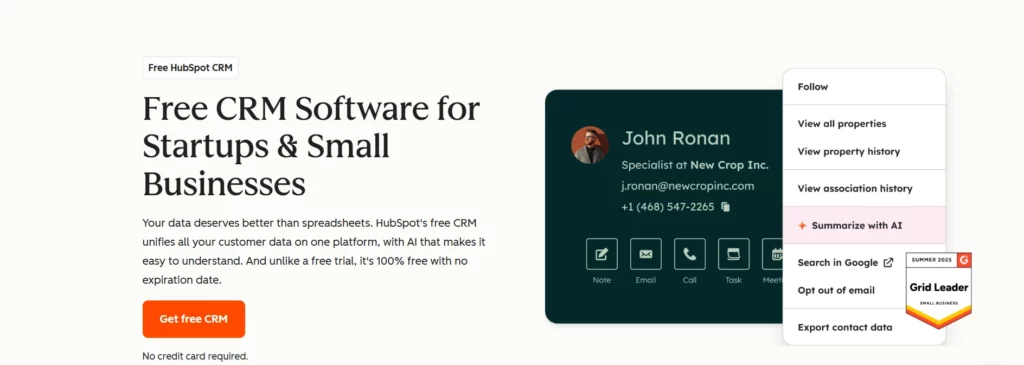
HubSpot CRM is an intuitive, all-purpose CRM whose deal and pipeline tools, omnichannel messaging and AI assistants help you answer every prospect on time. You can pair it with HubSpot’s other free tools, such as landing page builders and embeddable forms, to capture leads. It is a solid option for solo coaches who want a platform that can grow with them.
The key features to know:
- Meeting scheduler: Set up meetings directly within the platform via its native scheduler.
- Payment links: Use payment links to easily collect payments from coaching sessions.
- Email automation: Deploy personalized email outreach campaigns, complete with follow-ups and email tracking.
- Omnichannel messaging: Keep in touch with prospects on their preferred communication channels directly within the CRM.
Best for: Solopreneurs seeking an easy-to-use platform that can grow with their needs as their business expands.
| Pros | Cons |
|---|---|
| Highly intuitive interface | Lacks some coaching-specific functionalities |
| Option to integrate it with marketing and customer service tools | Steep gaps between paid plans may make scalability a challenge |
| Free CRM version available | Broad feature set might feel a bit overwhelming at first |
Pricing: HubSpot offers a free CRM, and its paid plans are listed on its pricing page, so check the current figure there before you upgrade.
Not ideal for: coaches who want goal tracking and session notes built in, because it is a general CRM without coaching-specific features.
2. Bonsai
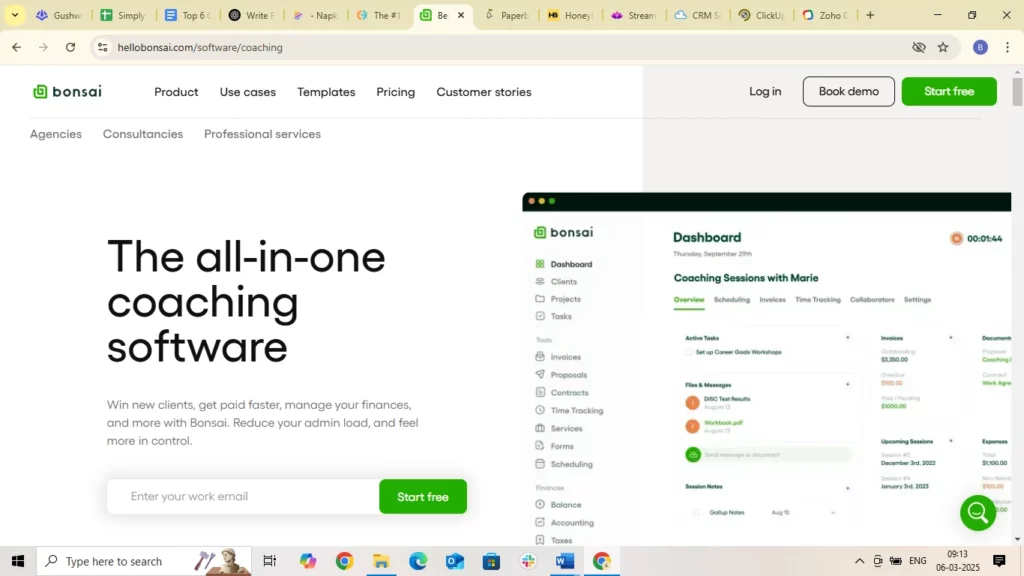
Bonsai is an intuitive CRM for coaching businesses with a wide range of features to simplify your practice. It lets you automate workflows, track time and manage projects in one place. Bonsai suits coaches who want one tool for both admin and client relationships, whether they work solo or run a growing business.
The key features to know:
- Simplified dashboard: Easily oversee ongoing projects and tasks.
- Workflow automations: Automate tasks for better workflow efficiency.
- Time tracking: Monitor and track time spent on various tasks.
- Subcontracting support: Facilitates collaboration with subcontractors or contractors.
Best for: Coaches seeking broad business functionality.
| Pros | Cons |
|---|---|
| Highly customizable | May have too many features for solopreneurs |
| Great for managing multiple clients | Customer support response times can be slow |
| Automates routine tasks | Lacks some niche features for certain coaching types |
Pricing: Bonsai’s Basic plan is $9 per user per month and Essentials is $19, both billed yearly, and you can start for free.
Not ideal for: solo coaches who want something simple, because it may carry more features than they need.
3. Paperbell
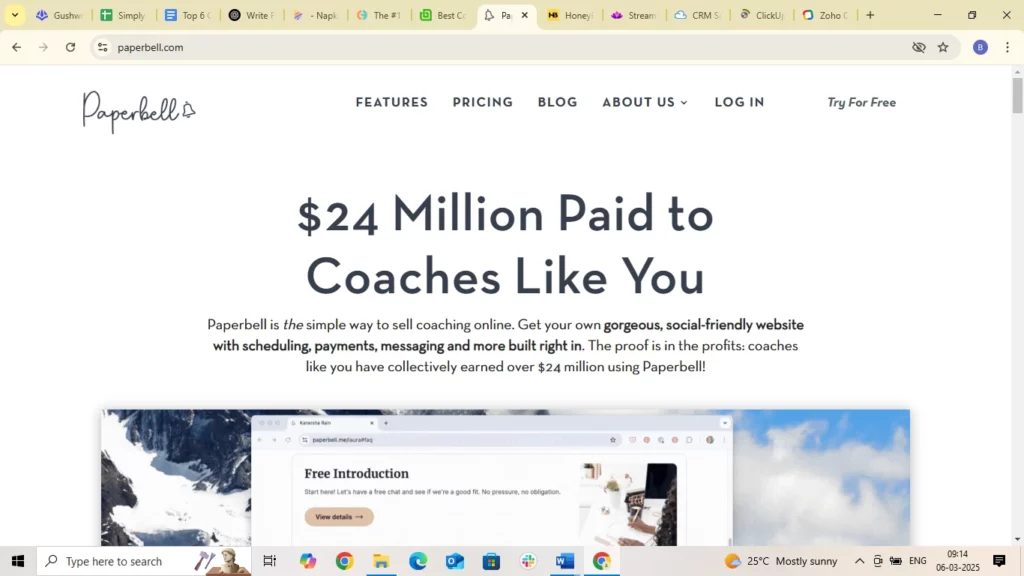
Paperbell is a coaching CRM designed to simplify your business operations, and it fits coaches who want to keep things simple. Project management, scheduling and payment processing sit in one place, so your attention stays on clients rather than admin. If you want a CRM that is easy to use from day one, it is a strong option.
The key features to know:
- Project management: Efficiently manage coaching projects.
- Dedicated customer support: Access responsive and dedicated support.
- Streamlined processes: Simplify scheduling, client management, and payment procedures.
Best for: Coaches prioritizing streamlined processes.
| Pros | Cons |
|---|---|
| Simple, easy-to-use interface | Lacks advanced marketing tools |
| Excellent for new coaches | Limited customization options |
| Dedicated customer support | Does not offer advanced reporting features |
Pricing: Paperbell starts at $57 per month, the figure its pricing page showed in September 2026. Check its pricing page for the current price.
Not ideal for: coaches who need marketing tools or detailed reports, because both are limited.
4. HoneyBook
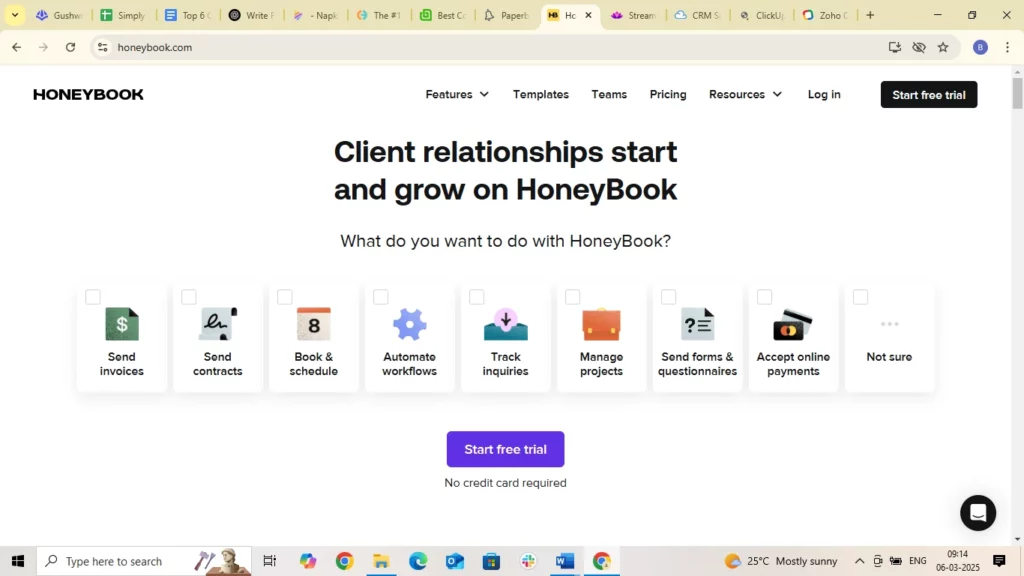
HoneyBook is a CRM for coaches that excels at client relationship management and automation. Whether you manage many clients or coach one-to-one, it automates communication, scheduling and invoicing. Its simple interface suits small and medium coaching businesses that want a capable, easy-to-use platform.
The key features to know:
- Simple data management: Easily organize and manage customer data.
- Intuitive client communication: Facilitates client communication with automated features.
Best for: Coaches focusing on tracking client communication.
| Pros | Cons |
|---|---|
| Intuitive interface for client communication | Difficult setup for new users |
| Automates follow-ups and reminders | Limited reporting functionality |
| Streamlines payments and scheduling | Can be pricey for solo coaches |
Pricing: HoneyBook’s Starter plan is $29 per month and Essentials is $49, both billed yearly, with a free trial.
Not ideal for: coaches who rely on detailed reports, because reporting is limited.
5. Satori
Satori is coaching CRM software for coaches who want an intuitive, accessible platform. Its clean interface makes it easy to manage client schedules, communication and payments. It is a good choice for established coaching businesses that want simple client management as they grow.
The key features to know:
- Simple user interface: Intuitive and straightforward user interface.
- Streamlined scheduling: Easily manage coaching session schedules.
- Client account management: Efficiently manage and organize client accounts.
Best for: Established coaching businesses seeking accessibility.
| Pros | Cons |
|---|---|
| Simple interface | Limited customizability |
| Great for managing multiple clients | Customer support may take longer |
| Cost-effective for small businesses | Lacks advanced marketing tools |
Pricing: Satori offers a 15-day free trial with access to the whole system, then monthly or annual plans, with two months free on annual billing. Check its pricing page for the current price.
Not ideal for: coaches who want to customize every workflow or run marketing from the same tool, because both are limited.
6. Agile CRM
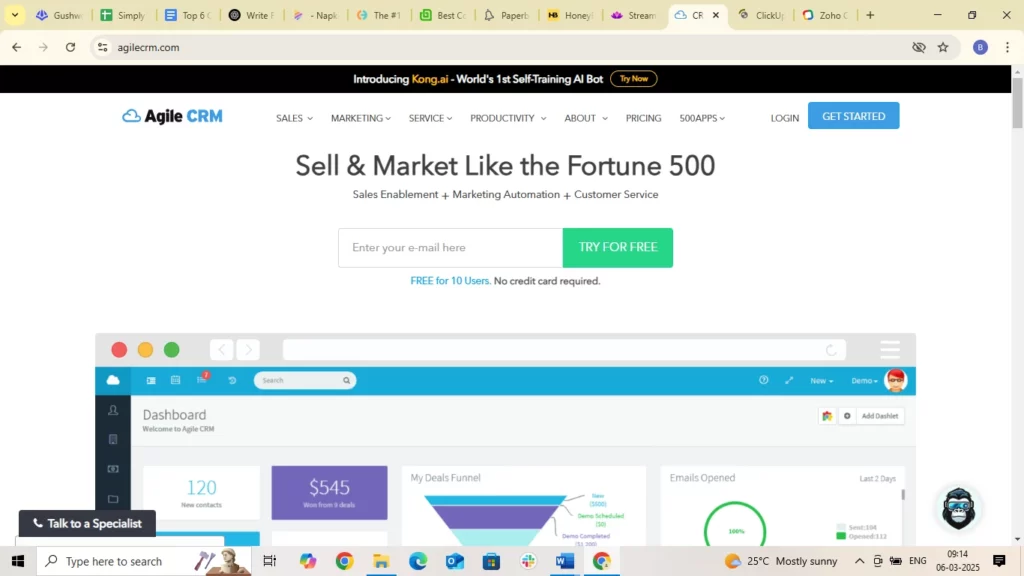
Agile CRM pairs client management with sales and marketing automation, which suits coaches who want their marketing and client records in one place. It covers everything from managing contacts to automating marketing workflows, and it can scale with your business.
The key features to know:
- Contact management: Efficiently manage and organize client information.
- Sales and marketing automation: Automate marketing campaigns and sales processes.
- Multichannel communication: Engage clients through email, SMS, phone/VoIP calls, social-media messaging, and website live chat, giving you multiple ways to connect and manage conversations.
Best for: Coaching businesses seeking a full CRM with marketing features.
| Pros | Cons |
|---|---|
| Broad features at an affordable price | May require training to use advanced features |
| Strong marketing automation features | Lacks certain customization features |
| Easy integration with other tools | Limited reporting functionality |
Pricing: Agile CRM is free for up to 10 users, and its paid plans start as low as $8.99 a month for Starter, $29.99 for Regular and $47.99 for Enterprise.
Not ideal for: coaches who want to start without training, because its advanced features take time to learn.
7. ClickUp
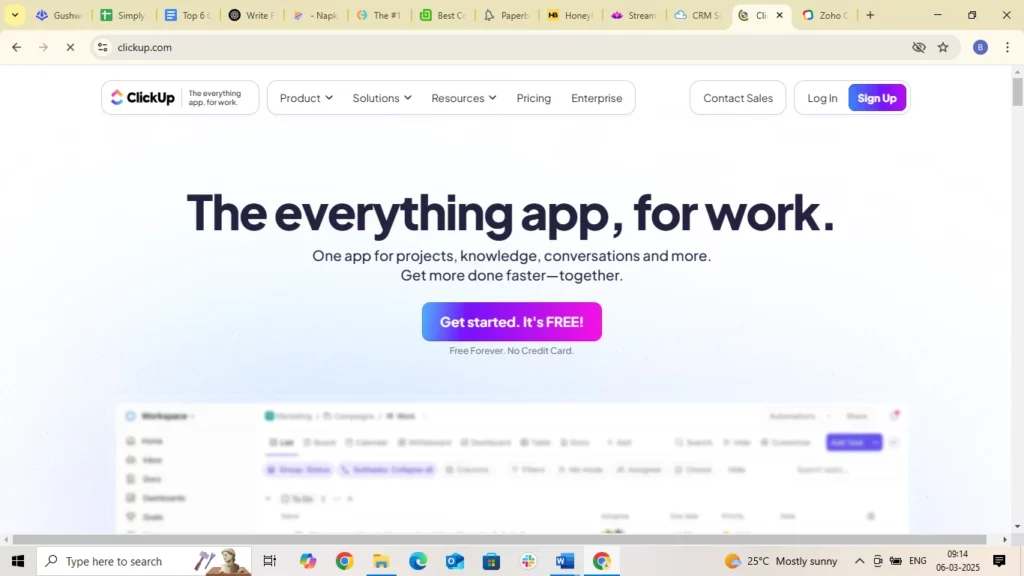
ClickUp is a flexible project management platform with CRM features, used by coaches who want one workspace for everything. Its customizable features let you manage client relationships, schedule sessions and track progress. Strong integrations and a user-friendly interface keep your operations organized, so your focus stays on clients.
The key features to know:
- Customizable dashboards: Tailor your workspace to monitor client progress and tasks.
- Time tracking: Track time spent on coaching activities for better productivity.
- Automated workflows: Automate repetitive tasks like follow-up emails and reminders.
- Integrations: Connect with tools like Google Calendar, Zoom and Slack so your tools stay in sync.
Best for: Coaches seeking a highly customizable CRM solution with strong automation and integration capabilities.
| Pros | Cons |
|---|---|
| Highly adaptable and customizable for different coaching styles | Initial setup can be time-consuming |
| Detailed time tracking and reporting features | Advanced features might require a learning curve for new users |
| Extensive integration options with popular applications | Can be overwhelming for smaller coaching businesses |
Pricing: ClickUp has a free forever plan; Unlimited is $7 and Business is $12 per user per month, billed yearly.
Not ideal for: smaller coaching businesses that want something ready to use, because setup takes time and the options can overwhelm.
8. Zoho CRM
Zoho CRM offers a broad set of tools to manage client relationships, automate processes and analyze client data. With strong reporting, sales automation and multichannel communication, it suits coaches who want clear insight into how their business performs.
The key features to know:
- Lead and contact management: Organize client information and track interactions.
- Process automation: Automate routine tasks like follow-ups and scheduling.
- Analytics and reporting: Gain insights into client behavior and coaching effectiveness.
- Multichannel communication: Engage clients via email, phone, chat, and social media.
Best for: Coaches looking for a CRM that combines automation, analytics, and multichannel communication for better client management.
| Pros | Cons |
|---|---|
| Strong automation tools for routine coaching tasks | Extensive range of features can be overwhelming |
| In-depth analytics for data-driven decision-making | Customization may require technical expertise |
| Customizable to suit specific coaching practices | Lacks some coaching-specific features |
Pricing: Zoho CRM is free for up to 3 users, and paid plans start at $20 per user per month, with up to 34% off on yearly billing.
Not ideal for: coaches without technical help, because customization can take technical skill.
9. Keap
Keap is an all-rounder CRM for small businesses and coaching professionals. It combines CRM, email marketing, sales automation and client management in one platform. Whether you are onboarding clients, managing workflows or personalizing communication, its automation-first approach covers the whole business.
The key features to know:
- Client management: Easily collect new leads, organize client records, and automate steps through each stage of your funnel.
- Automation: Automate repetitive sales and marketing processes to save time and stay consistent.
- Integrations: Connect with other platforms to centralize operations.
Best for: Coaches needing a full CRM with automation, email marketing, and strong personalization features.
| Pros | Cons |
|---|---|
| Strong email + SMS marketing capabilities for lead nurturing | Initial setup can feel complicated for beginners |
| Strong automation for repetitive admin and sales tasks | Some features may feel advanced for solo coaches |
| Mobile apps make it easy to manage sessions and clients on the go | Higher pricing compared to simpler CRMs |
Pricing: Keap starts at $299 per month, or $2,988 a year, and extra users are $39 per month each.
Not ideal for: solo coaches on a tight budget, because it costs more than simpler CRMs.
10. Dubsado
Dubsado is a highly customizable CRM for coaches who want a personal experience for each client. From branded forms to automated workflows, it helps you build a polished, professional setup. It is very flexible, but it comes with a learning curve and takes time to configure.
The key features to know:
- Customizable form templates: Contracts, questionnaires, proposals, all tailored to your brand.
- Online invoicing: Automated reminders and easy-to-pay invoices.
- Client portals: Clients can access documents, pay invoices, and view project updates.
- Built-in scheduler: Clients can book appointments without back-and-forth.
Best for: Coaches who want deep customization in their CRM and focus on branded, high-touch experiences.
| Pros | Cons |
|---|---|
| Highly customizable proposals, contracts, and client workflows | Steeper learning curve, especially for non-technical users |
| Smooth sales process, from proposal to contract to invoice, in one flow | Limited team collaboration features for larger coaching practices |
| Migration support helps move existing templates and workflows | Lacks full-featured project management and task boards |
Pricing: Dubsado’s Starter plan is $335 a year and its higher plan is $525 a year, and you can start for free.
Not ideal for: larger coaching teams, because team collaboration features are limited.
11. Simplero
Simplero is a single platform for coaches who sell courses, memberships or digital products alongside coaching. It brings CRM, email marketing, funnels, course hosting and community tools together. Coaches who mix coaching with digital products get the most from it.
The key features to know:
- Online courses: Control access levels, drip content, and deliver structured learning.
- Community building: Create membership sites with badges, forums, and client engagement tools.
- Mobile app: Clients can access learning materials from anywhere.
- Landing page builder: High-converting templates for lead generation.
- Strategic sales tools: Upsells, downsells, order bumps, and an affiliate system.
Best for: Coaches selling courses, memberships, or digital programs and looking for one business platform.
| Pros | Cons |
|---|---|
| Excellent for coaches selling courses, memberships, or digital products | Setup and configuration can be challenging for beginners |
| Offers flexible customization for branding, automation, and content delivery | Fewer built-in integrations; doesn’t sync with Google Calendar |
| Built-in community, email marketing, and sales tools reduce the need for multiple platforms | Interface may feel overwhelming for coaches wanting a simple CRM |
Pricing: Simplero’s Starter plan is $59 per month billed yearly or $70 month to month, Scale is $149 billed yearly, and every plan has a 14-day free trial.
Not ideal for: coaches who only want a simple CRM, because the interface can feel busy.
12. Simply.Coach
Simply.Coach is the platform we build, so it is the one we know best, and it sits in this list on the same terms as the others. It is a CRM built around coaching engagements, so life, business and career coaches can organize client data, track progress and handle admin in one place.
The key features to know:
- Client management: Goal setting and tracking, scheduling, note-taking, stakeholder integration and more.
- Time tracking features: Track the time spent on each task, so you manage your week better.
- Simplified dashboard: See ongoing engagements and tasks at a glance.
- Subcontracting support: Work with contracting coaches, delegate tasks and manage projects in one place.
Best for: Newly certified or experienced business, life, career or leadership coaches who want client management, project tracking and an affordable price in one place.
Pricing: Simply.Coach pricing starts at $9 per month, with plans that grow with your practice and a 14-day free trial.
Not ideal for: coaches who mainly sell courses or memberships, because it is built around coaching engagements rather than digital products.
How Simply.Coach is as a Platform
Here is a more in-depth look at what the customers of Simply.Coach have to say about the platform-What customers of Simply.Coach say about the Platform l Testimonials
How to Choose the Right CRM for Your Coaching Business
Selecting the right CRM goes beyond picking a popular platform. You need a tool that matches the way you coach, the type of clients you work with, and how you run your business.
Most of the platforms above sit inside the wider category of coaching platforms, and a CRM is one part of choosing software for coaches as a whole. The seven factors below narrow the field to the CRM that fits your practice.
1. Match the CRM to your coaching model
Start by identifying what your business actually needs. If you sell coaching packages, run group programs, or offer digital products, your CRM should support all those workflows. Look for features such as program tracking, client portals, digital product delivery, or integrated scheduling based on what you offer.
2. Consider your team size and daily operations
If you work solo, a simple, intuitive CRM may be enough. If you run a multi-coach team, you will need capabilities like shared workspaces, role-based access, team performance tracking, and centralized client dashboards.
3. Know the must-have features for your workflow
Make a clear list of what you cannot operate without, for example:
- marketing automation
- integrated scheduling
- advanced goal tracking
- mobile access
- invoicing and payment collection
Choose a CRM that fits your essential processes instead of forcing you into workarounds. If scheduling and invoicing are the only must-haves, dedicated scheduling and invoicing software may cover them without a full CRM.
4. Check the integrations
Your CRM should work smoothly with tools you already rely on, such as Google Calendar, email platforms, video conferencing tools, payment gateways, accounting platforms and form builders. This prevents duplicate work and keeps your operations in one place.
5. Look for scalability and long-term fit
As you increase your client base or launch new services, your CRM must adapt. Make sure the platform supports growth in users, client records, automations and workflows without slowing you down or forcing an expensive upgrade. Client data also builds up over the years, and the EU data protection rules govern how personal data is protected inside and outside the EU.
6. Evaluate pricing against actual value
Compare cost with features you will truly use. A higher price can be worth it if it replaces several other tools or saves you hours of manual work every week. Focus on long-term ROI, not just monthly fees.
7. Prioritize ease of use and onboarding support
A CRM should simplify your work, not create confusion. Look for a clean interface, simple menus, guided setup, tutorials or customer support that helps you get started quickly. If it takes too long to learn, you are less likely to stick with it.
Score your options against these seven factors, shortlist two or three, and run each one with a real client before you move your records. When you do move, follow the ICO’s storage limitation principle and do not keep personal data longer than you need it.
Want to learn more? Listen to Coach David Sherrod’s insights.
His journey and tips for aspiring coaches cover personalized client engagement and using technology in coaching.

Conclusion
The right CRM for your coaching practice is the one built around how you coach. If you sell sessions and programs one to one, a coaching-specific platform keeps clients, notes, goals and payments together. If your growth depends on marketing campaigns, a general CRM such as HubSpot CRM or Zoho CRM may suit you better, and course sellers fit a platform like Simplero.
Simply.Coach is built for coaches who want client records, goal tracking, scheduling and invoicing in one place, at a price a solo coach can afford. Pick by coaching model first and price second.
Key Takeaways
- Model before features. One-to-one coaching, sales-led growth and course selling each point to a different kind of CRM.
- Coaching data matters. Goal tracking and session notes are what general sales CRMs most often lack.
- Count what it replaces. A higher price can be worth it when one system replaces your scheduler, notes app and invoicing tool.
- Connections come first. Confirm your calendar, video and payment tools connect before you commit.
- Prices move. Several vendors price per user or show prices only in a browser, so confirm the current figure on the vendor’s page.
- Solo coaches benefit too. A CRM pays off once follow-ups and admin start to slip, whatever the size of the practice.
If client notes, reminders and payments still live in separate apps, every follow-up depends on your memory. Simply.Coach is client management software built for coaches, with goals, session notes, scheduling and invoicing tied to each client record. Try it with your next new client.
Frequently Asked Questions (FAQs)
Can a CRM for coaches replace multiple tools like scheduling, invoicing, notes, and reminders?
Often, yes. A coaching CRM can bring scheduling, invoicing, notes and reminders into one system, which cuts tool switching, reduces errors and lowers your admin load. Check that the features you rely on most are built in rather than added through integrations.
Will a CRM work for solo coaches or only for larger coaching businesses?
A CRM is very useful for solo coaches. Even with a small client list, it keeps you organized, automates routine tasks such as reminders and invoices, and gives clients a professional experience. Many CRMs price by user, so a solo plan usually costs less.
Does a coaching CRM help improve client retention and engagement?
It can. Automated reminders, session tracking, progress logs and consistent communication reduce no-shows and keep clients accountable between sessions, which supports retention. The CRM does not replace the coaching, but it stops engagement from slipping through admin gaps.
What features are essential in a CRM designed specifically for coaches?
Look for goal tracking, session notes, scheduling with calendar sync, invoicing and payments, automated reminders, secure data storage and customizable workflows. A client portal and a sales pipeline help if you are still growing your client base.
Is it safe to store confidential client data in a CRM? What should I check for?
It depends on the CRM. Check for encryption, secure access controls and two-factor login, compliance with data protection rules such as the GDPR, and clear terms on where data is stored and who can see it.
How difficult is it to migrate existing client data into a new CRM?
Usually manageable. Most CRMs offer bulk import tools and templates, so you can move contacts, notes, scheduling data and payment history with little hassle. Clean your spreadsheets first and move one group of clients at a time.
What is the best CRM for coaches?
The best CRM for coaches is the one that fits your coaching model. Coaching-specific platforms suit one-to-one and program work, general CRMs suit marketing-led growth, and course platforms suit coaches who sell digital products. Shortlist by model, then compare price and ease of use.
Is there a free CRM for coaches?
Yes. HubSpot CRM, Agile CRM for up to 10 users, Zoho CRM for up to 3 users and ClickUp all have free plans. A free plan suits a coach with a few clients; once you need coaching features such as goal tracking or invoicing, a paid plan usually pays off.